
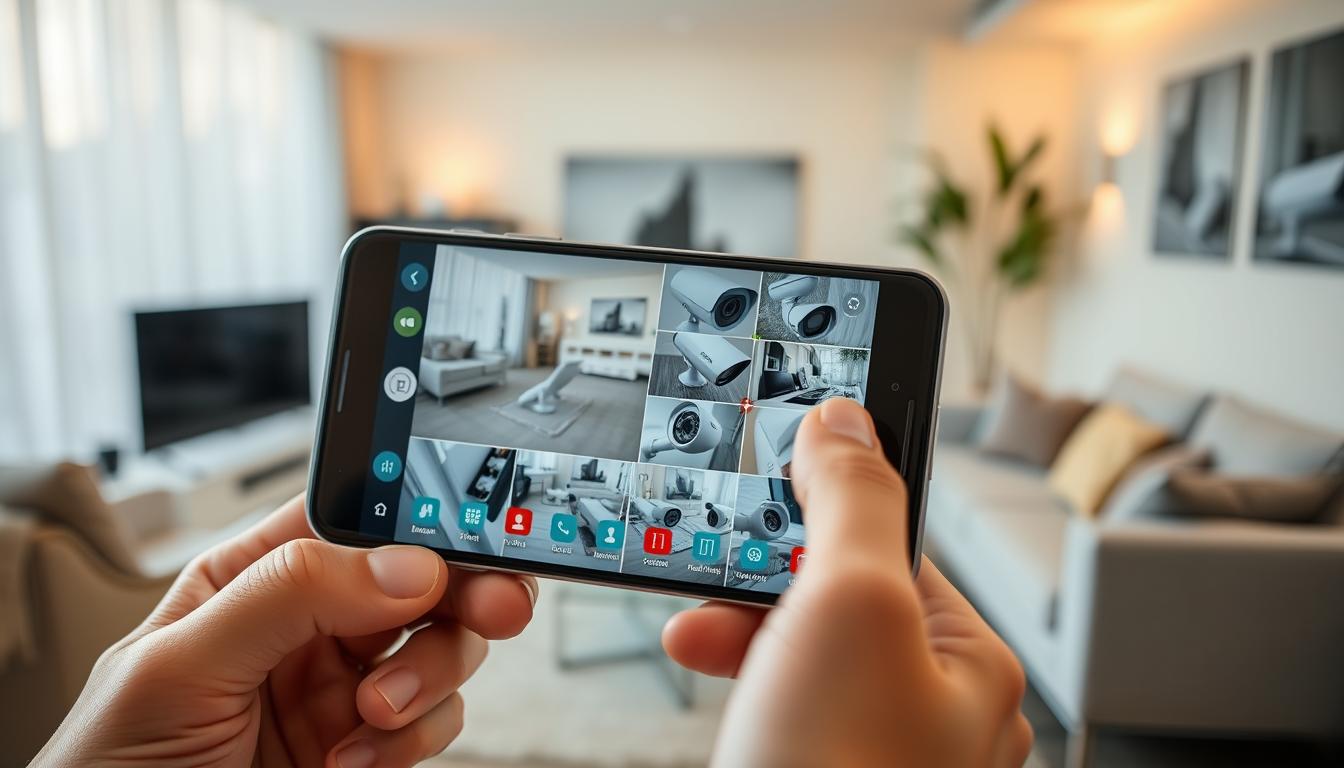
Which app is best for watching CCTV on Android? Top Choices
Singapore residents prioritize security in their daily lives. Choosing the right app for CCTV monitoring on Android devices becomes crucial for maintaining safety.
Mobile surveillance apps provide essential real-time monitoring capabilities. They help you keep an eye on both home and business premises from anywhere.
This comparison examines top Android security camera applications. We evaluate features like motion detection, notifications, and video playback options.
Effective surveillance systems can deter crime and provide peace of mind. The right connection and setup make all the difference in emergency situations.
We’ll explore popular options including DMSS, iDVR-PRO Viewer, and AlfredCamera. Our analysis helps you find the perfect solution for your specific security needs.
Key Takeaways
- Singapore’s security-conscious environment demands reliable CCTV monitoring solutions
- Android apps provide real-time surveillance for both residential and commercial properties
- Motion detection alerts and instant notifications are critical security features
- Video playback capability allows reviewing recorded footage when needed
- Proper setup ensures seamless connection between cameras and mobile devices
- Different apps offer varying features suitable for diverse security systems
- Choosing the right app enhances overall security camera system effectiveness
The Growing Need for Mobile Surveillance in Singapore
Singapore’s urban landscape continues to evolve rapidly. This transformation creates new security challenges for residents and businesses alike.
Mobile surveillance solutions have become essential tools. They address the growing demand for constant monitoring in our fast-paced environment.
Urban expansion drives the need for advanced security systems. Property owners seek reliable ways to keep eye on their assets remotely.
Modern CCTV applications provide real-time access through Android devices. This capability transforms how we approach property protection.
Singapore maintains exceptionally high safety standards. These standards encourage adoption of sophisticated monitoring options.
- Remote property monitoring from any location
- Immediate response capability to security events
- Flexibility to monitor both home and business premises
- Enhanced traditional security through mobile integration
The convenience of app-based monitoring appeals to diverse users. Homeowners appreciate watching their families while away.
Business managers value checking operations during off-hours. This flexibility meets various security needs effectively.
Smartphone penetration continues rising across Singapore. This growth makes mobile surveillance more accessible than ever.
Understanding these evolving requirements helps select appropriate monitoring tools. The right choice enhances overall protection strategies.
Modern security camera applications offer comprehensive features. They include motion detection and instant alerts.
These capabilities ensure prompt awareness of unusual activities. Quick response becomes possible through mobile connection.
Proper setup ensures seamless integration with existing systems. This integration creates a cohesive security approach.
Mobile monitoring complements traditional security measures perfectly. It adds layers of protection without complex installations.
The ability to review footage remotely provides additional peace of mind. Users can verify events without physical presence.
Singapore’s security-conscious culture embraces these technological advancements. Mobile monitoring represents the future of property protection.
Understanding Modern CCTV Systems and Their Value
Modern security solutions have transformed how we protect our properties. Closed-circuit television systems provide continuous monitoring for both residential and commercial spaces.
These surveillance tools offer more than just video recording. They create a visible deterrent against potential criminal activities.
Singapore’s urban environment benefits greatly from these security measures. The presence of cameras helps maintain safe neighborhoods.
The Role of CCTV in Deterring and Solving Crime
Visible security cameras significantly reduce crime rates. Potential offenders think twice when they know they’re being watched.
Recorded footage serves as crucial evidence for law enforcement. Police investigations become more effective with clear video documentation.
Modern systems capture high-quality video even in low light. This ensures important details remain visible when reviewing events.
Business owners find these systems particularly valuable. They protect assets and provide documentation for insurance claims.
Why Mobile Access is a Game-Changer for Security
Mobile connectivity revolutionizes traditional surveillance approaches. Android devices now serve as powerful monitoring tools.
Real-time alerts keep users informed about suspicious activities. Instant notifications enable quick response to potential security threats.
Remote viewing capabilities provide peace of mind for travelers. Property owners can check their premises from anywhere with internet access.
Modern applications offer user-friendly interfaces for easy navigation. Setup processes have become straightforward for most users.
These advancements make comprehensive security accessible to everyone. Both homes and businesses benefit from mobile-enhanced protection systems.
The integration of motion detection and live streaming creates robust security networks. Users receive immediate updates about unusual movements.
Video playback features allow reviewing recorded footage when needed. This functionality proves invaluable for investigating past events.
Mobile access represents the future of property protection. It combines traditional security with modern technology for optimal results.
Essential Features to Look for in a CCTV App
Selecting the right monitoring solution requires understanding key functionalities. These features determine how effectively you can protect your property through mobile devices.
Modern surveillance applications offer diverse capabilities. They transform how we approach security management from anywhere.
A well-designed interface makes complex features accessible to everyone. Users appreciate straightforward navigation through various security options.
“The right combination of features turns a simple app into a powerful security partner.”
Real-Time Live Streaming and Viewing
Immediate access to your security feed represents a fundamental requirement. Live streaming lets you monitor events as they happen.
High-quality video ensures clear viewing of important details. This clarity becomes crucial during emergency situations.
Reliable connection maintains consistent streaming performance. Users enjoy peace of mind knowing their feed remains accessible.
Reliable Video Playback and Search Functions
Reviewing recorded footage helps investigate past incidents. Advanced search options simplify finding specific events.
Date-based navigation allows quick access to historical recordings. Event-triggered searches filter footage by motion detection alerts.
These functions provide valuable insights into security patterns. They support both residential and business monitoring needs.
Instant Motion Detection and Push Alerts
Smart detection systems identify unusual activities automatically. They send immediate notifications to your mobile device.
Customizable sensitivity settings reduce false alarms. Users receive alerts only for genuine security concerns.
Quick response capability enhances overall protection. Prompt awareness prevents potential security breaches.
Device Sharing and Multi-User Access
Family members or team members can monitor together. Shared access improves collaborative security management.
Privacy settings control data access among different users. They ensure appropriate viewing permissions for each person.
This feature supports both home and business security systems. Multiple viewers can keep eye on properties simultaneously.
Evaluating applications based on these features helps find your perfect match. The right combination addresses specific security needs effectively.
These capabilities work together to create comprehensive protection. They transform mobile devices into powerful monitoring tools.
DMSS App: A Comprehensive Surveillance Management Tool
Among Android surveillance solutions, DMSS stands out as a powerful management platform. This application delivers professional-grade monitoring capabilities for both residential and commercial properties.
https://www.youtube.com/watch?v=5DP86oHvkKw
The platform integrates seamlessly with various security camera systems. Users enjoy centralized control over their entire surveillance network.
Seamless Real-Time View and Alarm Hub
DMSS provides crystal-clear live streaming from connected cameras. The feed remains stable over both Wi-Fi and mobile networks.
Instant notifications alert users to security events as they happen. The alarm hub organizes all alerts in one convenient location.
Customizable motion detection settings reduce false alarms. Users receive only relevant alerts for genuine concerns.
Advanced Playback and Remote Access Control
The application offers sophisticated video playback options. Users can search recordings by date, time, or specific events.
Remote access control enables adjusting camera settings from anywhere. This feature proves invaluable for managing multiple locations.
Device sharing allows family members or team members to monitor simultaneously. The setup supports collaborative security management effectively.
- Professional-grade monitoring for diverse security needs
- Stable streaming over both Wi-Fi and cellular connections
- Customizable alert system with intelligent motion detection
- Advanced search functions for historical footage review
- Multi-user access for shared surveillance management
- Intuitive interface suitable for all experience levels
- Comprehensive remote control capabilities
DMSS represents a top-tier choice for serious surveillance requirements. Its robust features meet the demands of modern security systems.
iDVR-PRO Viewer App: Streamlined Local and Remote Access
The iDVR-PRO Viewer application delivers exceptional monitoring capabilities for Android users. This specialized tool connects directly to compatible DVR systems for comprehensive surveillance management.
This viewer app stands out for its straightforward approach to security monitoring. Users appreciate its focused functionality without unnecessary complexity.
Effortless Local Network Configuration
Setting up the iDVR-PRO Viewer requires minimal technical knowledge. The application automatically detects compatible systems on your local network.
Quick connection establishment makes initial configuration remarkably simple. Users can begin monitoring their security cameras within minutes of installation.
The setup process guides you through each necessary step clearly. This ensures proper connection between your Android device and surveillance system.
Comprehensive Playback and PTZ Controls
Advanced video playback features allow thorough review of recorded footage. Users can search through historical recordings using multiple criteria.
Date-based navigation simplifies finding specific security events. Time-stamped searching helps locate crucial moments quickly.
Pan-Tilt-Zoom functionality enhances monitoring flexibility significantly. Cameras with PTZ support become fully controllable through the mobile interface.
Remote camera adjustment provides complete control from anywhere. This feature proves invaluable for detailed surveillance management.
The application supports various iDVR-PRO models seamlessly. Compatibility extends across both analog and high-definition camera systems.
Real-time streaming maintains consistent video quality over internet connections. Remote access capabilities enable monitoring from any location.
User-friendly design makes complex features accessible to everyone. The interface prioritizes easy use without sacrificing powerful functionality.
Multiple users can access the same security system simultaneously. This supports collaborative monitoring for both home and business applications.
Reliable performance ensures consistent connection to your surveillance network. The app maintains stable links even during network fluctuations.
iDVR-PRO Viewer represents an excellent choice for straightforward security management. It delivers reliable access without overwhelming users with unnecessary features.
This application meets diverse security needs through its versatile capabilities. Both residential and commercial users find it perfectly suited for their monitoring requirements.
AlfredCamera: Innovative and Cost-Effective Repurposing
AlfredCamera presents a brilliant approach to security monitoring through creative device utilization. This app transforms unused smartphones into fully functional security camera systems.
Singaporeans appreciate solutions that maximize existing resources. AlfredCamera delivers exceptional value by repurposing old phones instead of requiring new hardware investments.
Transforming Old Phones into Security Devices
The application cleverly converts idle devices into monitoring tools. This approach significantly reduces costs compared to traditional CCTV installations.
Users simply install AlfredCamera on both their current and old Android devices. The setup process guides you through creating a complete surveillance network.
This innovative method addresses various security needs effectively. Homeowners can keep eye on their properties without expensive equipment purchases.
Smart Alerts and Accessible Features
AlfredCamera delivers intelligent notifications for suspicious activities. Its motion detection system filters out false alarms while capturing genuine events.
The platform offers crystal-clear live streaming capabilities. Users enjoy real-time monitoring with options for video review when needed.
Advanced features include two-way audio communication and low-light filters. These options ensure comprehensive coverage under various conditions.
Singapore residents find AlfredCamera particularly useful for pet monitoring. Parents appreciate watching children while attending to other responsibilities.
Business owners utilize the app for additional security camera coverage. The system integrates seamlessly with existing systems.
Remote property monitoring becomes effortlessly accessible. Users maintain constant connection to their spaces through reliable streaming.
AlfredCamera stands out for its remarkable cost-effectiveness. It provides professional-grade security without the typical financial investment.
The application continues evolving with user-friendly enhancements. Its straightforward interface makes sophisticated security accessible to everyone.
Which App is Best for Watching CCTV on Android? A Direct Comparison
Three standout applications dominate Singapore’s mobile surveillance market with unique strengths. Each platform addresses different security needs through specialized approaches.
DMSS delivers comprehensive professional-grade capabilities. This app excels at managing multiple security camera systems simultaneously.
Its advanced features include sophisticated motion detection and detailed video playback. Users appreciate the reliable connection and instant notifications.
iDVR-PRO Viewer focuses on straightforward functionality. This viewer app prioritizes easy use and reliable performance.
The setup process remains remarkably simple for local network configurations. Users enjoy consistent live streaming and efficient video review.
AlfredCamera offers innovative affordability through device repurposing. This solution transforms old phones into functional cameras.
It provides cost-effective monitoring without compromising essential features. The platform includes smart alerts and clear streaming capabilities.
- DMSS suits users requiring advanced management of multiple devices
- iDVR-PRO Viewer serves those valuing simplicity and reliable footage access
- AlfredCamera appeals to budget-conscious users seeking creative solutions
Each application serves distinct purposes within Singapore’s security landscape. Home owners might prefer different options than business operators.
The ideal choice depends on specific monitoring requirements and available resources. Consider your need for advanced features versus straightforward operation.
Budget considerations also play a crucial role in selection. Some users prioritize comprehensive capabilities while others value affordability.
All three represent excellent top pick solutions for Android monitoring. Their unique strengths make them leaders in mobile surveillance.
Singaporeans should evaluate their individual circumstances before deciding. The right app enhances your overall security strategy effectively.
This comparison helps narrow down the optimal choice for your situation. Each platform offers distinct advantages for different user profiles.
Head-to-Head: DMSS vs. iDVR-PRO Viewer
Singapore’s mobile surveillance landscape features two powerful contenders for Android monitoring. DMSS and iDVR-PRO Viewer represent different approaches to security management.

Both applications deliver reliable performance but excel in distinct areas. Understanding their differences helps users make informed decisions.
Comparing Performance and Reliability
DMSS demonstrates superior streaming stability across various network conditions. Its connection remains consistent even during bandwidth fluctuations.
Users report minimal interruptions during live monitoring sessions. The app handles multiple camera feeds simultaneously without performance degradation.
iDVR-PRO Viewer specializes in local network optimization. It provides excellent reliability when accessing systems within the same network.
Remote access performance varies based on internet speed. The viewer app maintains stable connections under optimal conditions.
Both platforms offer reliable notification systems for security events. Instant alerts keep users informed about important activities.
User Experience and Interface Design
DMSS presents a feature-rich interface designed for comprehensive control. Advanced users appreciate its extensive customization options.
The layout organizes numerous functions intuitively. Navigation becomes straightforward after initial familiarization.
iDVR-PRO Viewer prioritizes simplicity in its design approach. New users find the interface immediately accessible without training.
Basic functions remain prominently displayed for quick access. The straightforward design reduces learning time significantly.
- DMSS suits users requiring advanced multi-device management
- iDVR-PRO Viewer excels in straightforward playback operations
- Both applications maintain high reliability ratings
- Performance depends on network quality and device compatibility
- Interface complexity matches different user skill levels
This comparison reveals complementary strengths between both solutions. DMSS handles complex security systems effectively.
iDVR-PRO Viewer serves users needing simple, reliable access. The choice depends on individual security requirements and technical comfort.
Analyzing User Reviews and Community Feedback
User experiences provide invaluable insights into real-world performance of monitoring solutions. Community feedback often reveals practical advantages and limitations that technical specifications might overlook.
Singaporeans actively share their opinions about various security applications. These reviews help others make informed decisions based on collective experiences.
Consistent patterns emerge when examining feedback across different platforms. Users frequently mention specific features that enhance or hinder their monitoring experience.
Common Praises for Top-Tier Apps
Many users highlight straightforward installation processes as a major advantage. They appreciate applications that guide them through setup without technical complications.
Reliable streaming capabilities receive significant positive feedback. Users value consistent video quality during live monitoring sessions.
Effective motion detection systems earn consistent praise from the community. Smart alert systems that minimize false alarms while capturing genuine security events prove particularly valuable.
User-friendly interfaces make complex features accessible to everyone. Simplified navigation helps users quickly access important functions.
- Quick installation processes with clear guidance
- Stable video streaming under various network conditions
- Accurate motion detection with customizable sensitivity
- Instant notifications for important security events
- Intuitive design that requires minimal learning time
Frequently Reported Issues and Workarounds
Some users experience delayed notifications during critical moments. This timing issue can affect response effectiveness to security events.
Community members suggest checking network settings and ensuring stable internet connections. Regular application updates often address these notification delays.
Video playback glitches occasionally frustrate users reviewing recorded footage. Clearing cache memory and ensuring sufficient device storage helps resolve these problems.
Performance variations occur across different Android devices and network environments. Users recommend testing applications under actual usage conditions before final implementation.
“Community forums provide practical solutions that often work better than official troubleshooting guides.”
Developer responsiveness to reported issues significantly influences user satisfaction. Applications receiving regular updates tend to perform better over time.
Considering user feedback remains crucial when selecting monitoring tools. Real-world experiences offer insights beyond feature lists and technical specifications.
These community insights help potential users understand actual performance characteristics. They provide valuable guidance for choosing the most suitable security solution.
Critical Security and Privacy Considerations
Mobile surveillance brings powerful monitoring capabilities to your fingertips. Protecting your personal data requires careful attention to security measures and privacy settings.
Modern CCTV applications handle sensitive video feeds and personal information. Understanding how these apps protect your data becomes essential for safe usage.
Data Encryption and Protection Protocols
Top-tier surveillance apps employ advanced encryption methods. These protocols scramble your data during transmission and storage.
End-to-end encryption ensures only authorized users access your footage. This protection prevents unauthorized viewing of your private events.
Secure connection protocols like SSL/TLS safeguard data transfers. They create protected tunnels between your devices and monitoring systems.
Regular security updates address emerging vulnerabilities. Reputable developers consistently enhance their protection measures.
Understanding Data Sharing and Privacy Settings
Most monitoring applications offer customizable privacy options. These settings control how your information gets shared with others.
User permission management regulates access to your security camera feeds. You can restrict viewing privileges for different family members or employees.
Third-party data sharing requires particular attention. Review whether applications share your information with external partners.
Singapore’s privacy regulations mandate certain protection standards. Ensure your chosen app complies with local data protection laws.
“Your surveillance system should protect your property without compromising your personal privacy.”
Before installation, carefully review application permissions and privacy policies. Understanding these documents helps you make informed decisions about your security.
Consider testing your setup to verify proper privacy configurations. This ensures your home or business monitoring remains truly private.
For additional guidance on securing your mobile surveillance, visit our comprehensive guide on CCTV phone connectivity.
Choosing applications with robust privacy features protects your personal information. This approach maintains both security and privacy for your monitoring needs.
Evaluating Cost: Free Features vs. Premium Subscriptions
Budget-conscious Singaporeans need to evaluate free versus premium surveillance features. This assessment helps determine the right balance between cost and functionality for your monitoring needs.
Free versions of monitoring applications provide basic access to your security systems. They typically include standard definition streaming and limited storage options.
Premium subscriptions unlock advanced capabilities for serious security requirements. These paid plans offer high-definition video quality and extended cloud storage.
Extended retention periods become available with paid plans. Users can review footage from further back in time when investigating security events.
Advanced motion detection features distinguish premium offerings. They provide more accurate alerts and reduce false notifications.
Multiple camera support often requires premium upgrades. Business owners particularly benefit from monitoring several locations simultaneously.
Pricing models vary significantly across different surveillance platforms. Some applications offer one-time purchases while others use monthly subscriptions.
Free applications serve well for basic home monitoring needs. They allow users to keep eye on their property without financial commitment.
Critical security features frequently remain behind paywalls. Enhanced encryption and priority support typically require premium access.
Investment in paid applications often translates to better reliability. Premium services generally maintain more stable connections and faster response times.
Singaporean users should assess their specific security needs before deciding. The evaluation should consider both current requirements and future expansion possibilities.
Trial periods offer excellent opportunities to test premium features. Many applications provide free temporary access to their full functionality.
“The right investment in surveillance technology pays dividends in peace of mind and actual security protection.”
Cost evaluation ultimately balances affordability with feature requirements. Smart choices ensure effective protection without unnecessary expenses.
Premium applications typically deliver superior overall performance. They represent the best cctv app solution for those requiring comprehensive security.
Free options work adequately for simple monitoring scenarios. Users with basic needs might find free versions perfectly sufficient.
The decision between free and paid depends on individual circumstances. Both options have their place in Singapore’s diverse security landscape.
The Future of CCTV Apps: AI and Enhanced Integration
Mobile surveillance technology continues evolving at remarkable speed. The next generation of monitoring solutions promises smarter, more intuitive experiences for users.
Artificial intelligence integration represents the most exciting development. AI-powered features will transform how we approach property protection.
Enhanced motion detection capabilities will distinguish between different movement types. Pets, falling leaves, and actual intruders will trigger appropriate responses.
This intelligent filtering significantly reduces false alarms. Users receive notifications only for genuine security concerns.
User interfaces will become more intuitive and accessible. Simplified navigation makes complex features available to everyone.
Future updates focus on eliminating technical barriers. Elderly users and technophobes will find monitoring effortless.
Smart home integration represents another major advancement. Surveillance systems will communicate with other security devices seamlessly.
Lighting, alarms, and access control will work together. This creates comprehensive protection networks for both home and business applications.
“The convergence of AI and surveillance technology will create security systems that anticipate rather than just react.”
Real-time communication features will enable immediate response capabilities. Two-way audio will become clearer and more reliable.
Emergency services integration may allow direct alert forwarding. This could dramatically reduce response times during critical events.
Cross-device compatibility will reach new heights. Your surveillance system will work across phones, tablets, and computers effortlessly.
Cloud storage solutions will offer smarter organization options. AI-assisted tagging will help locate specific footage quickly.
These innovations solidify the role of mobile monitoring in modern security. Forward-thinking users should consider future compatibility when choosing solutions.
The evolution continues toward more personalized security experiences. Systems will learn your routines and adapt protection accordingly.
Staying informed about these developments helps make smarter choices. The right investment today will serve you well into tomorrow’s security landscape.
How to Choose the Right App for Your Specific Needs
Finding your perfect surveillance solution requires matching app capabilities with personal security requirements. This careful selection process ensures your monitoring system delivers optimal protection.
Begin by evaluating your monitoring scope and feature requirements. Consider whether you need basic live streaming or advanced motion detection capabilities.
Homeowners typically prioritize affordability and simplicity. Business operators often require comprehensive features for multiple locations.
Ease of use becomes crucial for users with limited technical knowledge. Look for applications with intuitive interfaces and straightforward setup processes.
Device compatibility checking prevents frustrating installation issues. Ensure your chosen solution works with existing cameras and Android devices.
Cost comparison helps balance budget constraints with feature needs. Free versions suit basic monitoring while premium plans offer enhanced functionality.
Testing applications through free trials provides hands-on experience. This practical approach reveals how well each option meets your daily security needs.
User reviews offer valuable insights into real-world performance. Professional comparisons highlight strengths and weaknesses across different platforms.
“The ideal surveillance solution balances advanced features with reliable performance and reasonable cost.”
Singaporean users should consider these key factors:
- Required monitoring features and alert preferences
- Technical comfort level and interface simplicity
- Hardware compatibility with existing equipment
- Budget limitations versus desired capabilities
- Trial period availability for thorough testing
This thoughtful selection process leads to optimal security solutions. The right choice provides peace of mind through effective property protection.
Making Your Final Decision on an Android CCTV App
Selecting your ideal monitoring solution requires balancing features with practical needs. Each application serves different purposes within Singapore’s security landscape.
DMSS excels at comprehensive system management for multiple devices. It offers advanced motion detection and reliable notifications.
iDVR-PRO Viewer provides straightforward access with easy setup. Users appreciate its simple interface for reviewing footage.
AlfredCamera delivers cost-effective monitoring through creative device use. It transforms old phones into functional security cameras.
Consider your specific requirements before choosing. Test preferred options when possible to ensure compatibility.
The right selection enhances your overall protection strategy. It provides peace of mind through effective surveillance.
Mobile monitoring represents modern security at its finest. Choose the solution that best fits your individual needs.
FAQ
What is the best free app for watching CCTV on Android?
AlfredCamera stands out as an excellent free option. It lets you repurpose old Android phones into security cameras with motion detection alerts and live streaming. For viewing existing systems, iDVR-PRO Viewer offers robust free features for local and remote access.
Can I view my CCTV system remotely without a subscription?
Yes, many apps like DMSS and iDVR-PRO Viewer enable remote viewing without monthly fees. This typically requires proper network setup, like port forwarding or using P2P, allowing secure access from anywhere with an internet connection.
How important is motion detection in a security camera app?
Extremely important. Motion detection with instant push notifications is crucial for proactive security. It alerts you to potential events in real-time, saving storage space by only recording when activity occurs and ensuring you don’t miss critical incidents.
Are these CCTV apps secure for home and business use?
Reputable apps like DMSS employ strong data encryption and security protocols to protect your footage. Always ensure your app and devices use updated firmware, strong passwords, and avoid public Wi-Fi for accessing your systems to maintain privacy.
Can multiple users access the same CCTV system through an app?
Yes, most professional apps like DMSS support multi-user access. You can grant viewing permissions to family members or employees, allowing shared monitoring while maintaining control over who has access and what level of control they possess.
What should I do if my CCTV app has connection issues?
First, check your internet connection and ensure the app and camera firmware are updated. Verify your network settings, like port configurations or QR code scanning for P2P setup. Restarting your device and router often resolves temporary glitches.


