

How do I know if my CCTV is on or off? Easy Check
Singapore’s security landscape relies heavily on surveillance systems. With over 1 million CCTV cameras monitoring public and private spaces, maintaining functional equipment is crucial for protection.
Nearly half of these cameras may not function properly, creating dangerous security gaps. A non-working surveillance system leaves properties vulnerable to security threats.
This guide provides comprehensive methods to verify your camera’s operational status. You’ll learn physical, software-based, and electronic verification techniques for different camera types.
Functional security systems can reduce crime rates by up to 52%. Regular status checks ensure your protection remains active and effective.
Key Takeaways
- Singapore has over 1 million CCTV cameras with significant functionality issues
- Non-operational cameras create serious security vulnerabilities
- Multiple verification methods exist for different camera types
- Functional systems can reduce crime rates by more than half
- Professional maintenance options are available for complex issues
- Regular status checks are essential for continuous protection
Understanding How do I know if my CCTV is on or off?
Determining camera functionality begins with observing the device’s physical characteristics. These visible and audible cues offer immediate confirmation of your surveillance equipment’s status.
Observing Physical Camera Movement
Pan-tilt security cameras provide clear movement indicators when operational. These units rotate continuously while active, creating a 40-50dB humming sound during movement.
When patrol or tour functions activate, consistent movement patterns confirm the security camera is working. Stationary positions during scheduled patrol times suggest potential system issues requiring attention.
Checking LED Status Lights and Their Meanings
Infrared IP cameras display small red lights around the lens in darkness. A solid red light indicates normal night vision operation, while blinking patterns may signal technical problems.
Different LED colors communicate specific status information across camera brands:
- Red lights typically indicate recording activity or night vision mode
- Blue indicators show stable network connection status
- Amber signals often warn of low battery power in wireless units
Testing infrared functionality requires dimming room lights and observing red light emissions around the lens area.
Listening for Operational Sounds
Active surveillance cameras produce distinct auditory cues during operation. Pan-tilt models emit a consistent 40-50dB hum when rotating, indicating proper function.
Different sounds help distinguish between normal operation and potential malfunctions. Unusual grinding or inconsistent noises may suggest mechanical issues requiring professional assessment.
Regular auditory checks complement visual inspections for comprehensive status verification of your security system.
Using Your Security Camera’s Software and Apps
Modern surveillance systems offer powerful digital interfaces for real-time monitoring. Over 92% of installed units in Singapore support mobile applications for remote access. These platforms provide immediate verification of your camera’s operational status through intuitive controls.
Logging In to View the Live Feed
Accessing your security camera’s live feed begins with proper authentication. Most manufacturers provide dedicated mobile apps like Reolink or HikConnect. These applications sync seamlessly across multiple devices for convenient monitoring.
Successful login grants immediate access to real-time video streaming. The live view confirms whether your cameras are actively capturing footage. Cloud-based platforms maintain constant connectivity for uninterrupted surveillance operation.
Checking Recording Status and Footage Playback
Verifying recording functionality requires examining the video archive section. Cloud storage systems display upload timestamps for each recorded segment. Local storage options show file sizes and creation dates for quick reference.
Reviewing recent footage provides concrete evidence of system operation. Timestamp verification ensures continuous recording without gaps. Regular archive checks help identify potential recording issues before they become critical.
Interpreting Software Alerts and Notifications
Modern security applications feature comprehensive alert systems. Push notifications inform users about motion detection events or system status changes. These alerts provide immediate awareness of surveillance operation.
Health metrics displayed within the app interface show power status and connection strength. Warning messages indicate potential problems requiring attention. Understanding these notifications helps maintain optimal camera performance.
Regular software updates ensure compatibility and security enhancements. Firmware maintenance prevents potential operational issues. Consistent app management guarantees reliable surveillance system performance.
Checking Power Supply and Physical Connections
Electrical connectivity issues represent the most common source of surveillance system failures. Over half of all technical problems stem from unstable power sources affecting camera performance. Proper verification ensures your security equipment remains operational.
https://www.youtube.com/watch?v=nCCj2bhoReI
Inspecting Power Cables and Adapters
Begin your power supply check by examining all physical connections. Look for frayed wires, corrosion, or loose terminations that could interrupt electrical flow. These visual inspections prevent many common system issues.
Most security cameras operate on 12V DC or 24V AC power systems. Use a multimeter to test voltage consistency at connection endpoints. Readings below 11V DC indicate potential power problems requiring thicker wiring or boosters.
Singapore’s humid climate accelerates cable degradation. Regular inspection of outdoor connections prevents moisture-related electrical issues. Proper maintenance ensures continuous camera operation despite environmental challenges.
Testing Power Over Ethernet (PoE) Connections
Power over Ethernet systems combine data and power transmission through single cables. Check your network switch’s LED indicators for active connection status. These lights provide immediate visual confirmation of proper functionality.
PoE setups require stable voltage fluctuations below 10% for optimal performance. Verify consistent power delivery to prevent camera malfunctions. Proper installation prevents most connectivity problems in modern surveillance systems.
Test Ethernet cable continuity using professional testers when issues arise. This identifies breaks or faults in the network infrastructure. Regular testing maintains reliable power delivery to all connected devices.
Verifying Battery Levels on Wireless Units
Wireless security cameras rely on batteries typically lasting 1-3 years. Battery degradation causes nearly one-third of wireless unit failures. Proactive replacement schedules prevent unexpected power loss.
Check battery status through your camera’s software interface when available. Low power indicators typically appear as amber warning signals. Immediate replacement ensures uninterrupted surveillance coverage.
Monitor battery health regularly rather than waiting for complete failure. This proactive approach maintains system reliability. Consistent power verification keeps your security cameras working effectively.
Verifying Network and Wi-Fi Connection for IP Cameras
Wireless network performance directly impacts IP camera functionality. Connectivity problems cause nearly 70% of all surveillance system failures in modern setups. Proper network verification ensures your security equipment maintains reliable operation.
Using Your Router’s Admin Panel to Check Device Status
Access your router’s administrative interface to monitor connected devices. Most routers use addresses like 192.168.1.1 or 192.168.0.1 for admin access. Login credentials are typically found on the router itself or in documentation.
The connected devices section shows all active network connections. Look for your camera’s manufacturer name or MAC address. This confirms whether the device maintains proper network status.
Check assigned IP addresses for each connected security camera. Static IP assignments prevent address conflicts. Consistent addressing ensures reliable remote access through your security app.
Testing Internet Speed and Signal Strength at the Camera’s Location
IP cameras require minimum signal strength of -67dBm for stable operation. Use WiFi analyzer tools like NetSpot to measure actual signal levels. Test at the camera’s mounting location for accurate readings.
Singapore’s monsoon season increases signal degradation by 15%. Regular testing during different weather conditions helps identify patterns. This proactive approach prevents unexpected connectivity issues.
Perform speed tests to ensure adequate bandwidth for video streaming. Most HD cameras need at least 2-4 Mbps upload speed. Insufficient bandwidth causes choppy footage and recording gaps.
Resolving Common IP and Connectivity Conflicts
DHCP configuration issues frequently cause IP address conflicts. Set static IP addresses for critical surveillance equipment. This prevents address reassignment problems during network changes.
Channel congestion creates significant wireless performance issues. WiFi analyzers identify crowded channels in dense urban environments. Switching to less congested channels improves connection stability.
Enable Quality of Service settings to prioritize video streams. QoS ensures camera traffic receives bandwidth priority over other devices. Configure 4G fallback options for critical security camera locations.
Regular network maintenance prevents most connectivity problems. Update router firmware and camera software regularly. Consistent monitoring maintains optimal surveillance system performance.
Advanced Electronic Verification Methods
Electronic detection tools provide definitive confirmation of surveillance equipment functionality. These advanced techniques reveal operational status through signal analysis and thermal imaging. Professional-grade equipment offers reliable verification beyond basic visual inspections.
Using RF Bug Detectors to Find Signal Transmission
Active security cameras emit radio frequency signals during normal operation. Most units transmit between 2.4-5GHz frequencies when capturing footage. Handheld RF detectors scan these wavelengths to confirm transmission activity.
Quality detectors range from $150 to $500 depending on sensitivity and features. These devices identify wireless camera signals through precise frequency scanning. Effective detection confirms the surveillance system is actively transmitting data.
RF scanning works best for wireless security cameras with constant transmission. The technology detects signals through walls and obstacles. Regular scanning ensures your equipment maintains proper communication status.
Employing Thermal Scanners to Detect Heat Signatures
Thermal imaging technology identifies operational cameras through heat signatures. A 2023 study demonstrated 92% detection accuracy for hidden units. This method outperforms RF scanners in shielded environments.
Infrared LEDs and processing chips generate detectable heat during operation. Thermal cameras spot these signatures even through walls and concealment. The technology reveals active units regardless of transmission method.
Thermal detection provides comprehensive verification for all camera types. It works with both wireless and wired security systems. This method confirms operational status through physical heat emissions.
Spectrum analyzers decode Wi-Fi and cellular transmissions from IP cameras. These advanced tools identify live feeds and data streams. They provide technical confirmation of active surveillance operation.
For wired systems, monitor power lines using voltage testers. Fluctuations below 5V often indicate standby mode. Consistent power readings confirm normal camera function.
Singapore’s PDPA guidelines regulate signal scanning activities. Always ensure compliance when using electronic detection methods. Proper authorization maintains legal operation during security verification.
Performing a Comprehensive CCTV Functionality Test
Regular system verification ensures your surveillance equipment maintains optimal performance. A complete functionality test takes 15-45 minutes depending on your setup size. This thorough approach identifies potential issues before they compromise your security.
Step-by-Step Guide for a Full System Check
Begin with network connectivity verification for IP cameras. Use ping commands to test response times. Properly functioning units should respond within 2 seconds.
Check camera recording status through your security software. Verify recent footage timestamps and file sizes. This confirms continuous operation without gaps.
Test each camera’s video quality and focus. Look for clear images without distortion. Proper focus ensures usable evidence if needed.
Verify storage system capacity and health. Ensure adequate space for continuous recording. Monitor storage trends to predict future needs.
Testing Night Vision and Infrared Modes
Night vision capability requires specific testing procedures. Dim the room lights completely to activate infrared mode. Observe the camera’s IR emissions around the lens area.
Smartphone cameras can detect infrared emissions effectively. Point your phone’s camera at the security unit. IR lights appear as purple-white dots on the screen.
Test different darkness levels for optimal performance. Ensure the night vision switches smoothly between modes. Proper infrared operation provides 24-hour protection.
Check image quality in complete darkness. Verify that details remain visible. Adjust IR intensity settings if images appear washed out.
Verifying Motion Detection and Alert Settings
Motion detection requires careful calibration for accuracy. Test sensitivity settings by walking through monitored areas. Verify that alerts trigger appropriately through your app.
Seasonal adjustments prevent false alarms. Reduce sensitivity by 15% during Singapore’s monsoon months. This prevents rain triggers while maintaining security.
Configure detection zones to focus on important areas. Avoid monitoring spaces with frequent non-threat movement. Proper zoning reduces unnecessary notifications.
Test alert delivery across all your devices. Ensure push notifications work consistently. Verify that email alerts reach your inbox without spam filtering.
Sync all cameras to Network Time Protocol servers. This prevents timestamp discrepancies in recorded footage. Accurate timestamps are crucial for legal evidence.
Identifying Real vs. Fake Security Cameras
Distinguishing functional surveillance equipment from decorative units requires careful examination. Many property owners discover their security systems contain non-working dummy cameras that provide false protection. These replica units often feature convincing designs that mimic authentic security cameras.
Proper verification ensures your investment delivers actual protection rather than illusionary security. Several physical and technical indicators help confirm whether cameras are operational surveillance devices.
Inspecting for Functional Wires and Cables
Genuine security cameras require power and data connections to function properly. PoE models use Cat 5 or Cat 6 cables that connect directly to network routers. These cables transmit both power and video data through single connections.
Traditional wireless security cameras still need power cables despite their name. Examine the camera housing for cable entry points and follow wires to their endpoints. Functional wiring indicates legitimate security equipment rather than decorative replicas.
Check cable quality and professional installation standards. Authentic security systems use weather-resistant cabling with proper conduit protection. Loose wires or obvious dummy cables suggest non-functional units.
Researching the Brand and Model Authenticity
Verify camera authenticity through manufacturer research and model verification. Reputable security brands maintain consistent labeling and identification markings. Search online using the brand name and model number found on the device.
Check for official certification marks and compliance stickers. Legitimate security cameras display certification logos from standards organizations. These markings indicate proper testing and quality assurance.
Compare physical build quality with official product images. Authentic security cameras feature precise manufacturing with consistent materials. Poor craftsmanship or mismatched components often reveal fake units.
Recognizing the Signs of a Non-Functional Dummy Unit
Dummy cameras frequently use blinking red lights to simulate recording activity. Authentic security cameras typically avoid obvious blinking indicators. Professional installations prioritize discreet operation over visible signals.
Examine LED light patterns and placement carefully. Real security cameras use status lights for technical functions rather than deception. Consistent red illumination often indicates infrared night vision operation.
Assess weight and material quality during physical inspection. Functional security cameras contain electronics that add substantial weight. Lightweight plastic constructions often indicate fake units without internal components.
Test camera responsiveness through movement detection. Real security cameras adjust focus or follow movement in advanced models. Static dummy units remain completely stationary regardless of activity.
Consult professional installers for definitive authentication. Security experts quickly identify replica cameras through technical verification. Their assessment provides certainty about your system’s actual capabilities.
Troubleshooting Common CCTV Issues and Quick Fixes
Many surveillance system problems have simple solutions that users can implement immediately. Understanding these quick fixes helps maintain continuous security coverage without professional assistance.
Addressing Blurry Footage and Dirty Lenses
Blurry images often indicate dirty camera lenses affecting video quality. Singapore’s humid climate accelerates dust accumulation on outdoor units.
Clean lenses monthly using microfiber cloths and isopropyl alcohol. Gently wipe in circular motions to remove debris without scratching the surface.
Check focus settings if cleaning doesn’t resolve the issue. Manual adjustments restore sharpness for critical security footage.
Resolving Recording Interruptions and Storage Problems
Recording gaps frequently stem from storage capacity issues. Network video recorders may stop functioning when storage exceeds 90% capacity.
Enable automatic overwrite features to maintain continuous operation. This setting ensures new footage replaces oldest recordings seamlessly.
Format SD cards monthly using the camera’s built-in tool. This prevents “storage full” errors despite available space.
Monitor storage trends to predict future expansion needs. Proactive management prevents unexpected recording interruptions.
Fixing Intermittent Connectivity and Signal Loss
Voltage drops plague long cable runs in commercial installations. Readings below 11V DC cause camera malfunctions and signal loss.
Install thicker gauge wiring or power boosters for stable operation. Proper voltage regulation ensures consistent security camera performance.
Update firmware regularly to prevent 28% of malfunctions. Outdated software causes numerous connectivity issues over time.
Check network settings for optimal configuration. Proper setup reduces signal loss in various environmental conditions.
Knowing When to Seek Professional CCTV Assistance
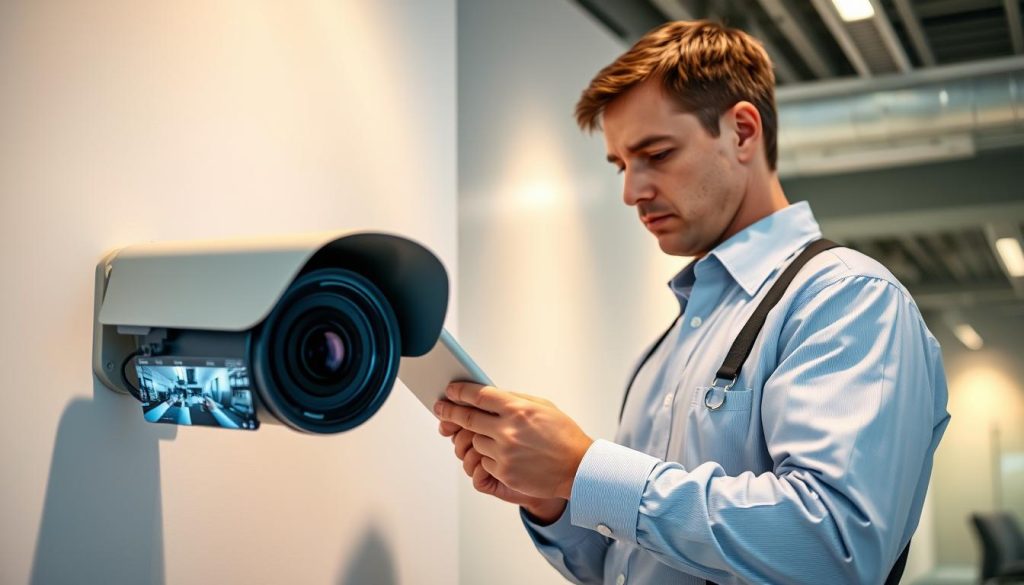
Certain surveillance situations demand expert intervention rather than DIY solutions. Complex technical failures and legal requirements often exceed typical user capabilities. Professional technicians possess specialized tools and certifications for comprehensive system resolution.
Identifying Complex Hardware Failures
Water damage represents a critical failure point for outdoor security cameras. Moisture infiltration fries circuit boards and destroys internal components. These issues require professional diagnosis and replacement parts.
Multiple component failures indicate systemic problems. When cameras, recorders, and network equipment malfunction simultaneously, certified technicians can identify root causes. Their expertise prevents recurring issues across the entire security system.
Power supply problems often stem from complex electrical issues. Voltage fluctuations below 5V or inconsistent power delivery need professional assessment. Technicians use specialized equipment to trace and resolve these electrical problems.
Understanding Legal Compliance in Singapore
Singapore’s Personal Data Protection Act mandates specific surveillance requirements. All operational cameras require visible signage informing individuals of recording. Professional installers ensure proper compliance with these regulations.
Boundary installations near neighboring properties require careful consideration. Improper placement can violate privacy laws and create legal disputes. Experts understand spatial regulations and installation boundaries.
Professional security installers maintain current knowledge of PDPA requirements and neighborhood regulations. Their expertise prevents legal complications while ensuring effective surveillance coverage.
Warranty protection depends on professional installation and maintenance. Approximately 70% of warranty claims get denied due to unauthorized tampering. Certified technicians preserve your equipment guarantees while resolving issues.
Forensic video recovery services require professional tools and expertise. When footage becomes corrupted or deleted, specialists can often restore critical evidence. This service proves invaluable for security investigations.
Consider professional assistance when:
- Multiple system components fail simultaneously
- Water damage affects camera functionality
- Legal compliance questions arise regarding placement
- Warranty protection remains a priority
- Critical footage requires recovery expertise
Singapore residents can contact professional CCTV maintenance services at +65 60135960 for comprehensive assistance. Certified technicians provide solutions that balance technical excellence with legal compliance.
Ensuring Your CCTV System Remains Operational
Maintaining your surveillance equipment requires consistent attention and proper planning. Quarterly maintenance checks prevent 73% of unexpected camera failures, keeping your security system reliable.
Develop a comprehensive schedule for lens cleaning and cable inspections. Store spare power adapters to minimize downtime during emergencies. Regular software updates ensure optimal camera operation and security.
Integrate your surveillance system with smart home automation for enhanced protection. Plan technology upgrades every 3-5 years to maintain modern security standards. Quality brands often provide extended warranties for durable solutions.
Train household members on basic troubleshooting techniques. This knowledge helps maintain continuous recording status and system operation. For detailed guidance on monitoring your equipment, visit our guide on how to verify CCTV recording status.
Proper maintenance ensures your security cameras provide lasting protection. Consistent care keeps your surveillance system functioning effectively through Singapore’s unique environmental conditions.
FAQ
What are the most obvious signs that my CCTV camera is active?
Active security cameras typically show LED status lights, emit low operational sounds, and may physically move if they’re PTZ models. Checking the live feed through your app or software provides the most reliable confirmation.
How can I verify if my camera is recording properly?
Access your security system’s software or mobile app to view real-time footage and check recording status. Verify storage availability and review recent clips to ensure proper operation.
What does a red light on my security camera indicate?
A red LED light often signals active recording or night vision mode engagement. Consult your camera’s manual for specific indicator light meanings, as these vary by manufacturer and model.
How do I check my CCTV’s power supply connection?
Inspect all power cables and adapters for secure connections. For PoE cameras, ensure Ethernet cables are properly seated in both the camera and network switch. Test outlets with another device to confirm functionality.
Can I test my wireless camera’s battery level remotely?
Most modern wireless security cameras display battery status through their companion app. For systems without this feature, physically check the unit or consider scheduled battery replacements.
How do I know if my IP camera has network connectivity issues?
Access your router’s admin panel to verify device connection status. Poor video quality or frequent disconnections often indicate Wi-Fi signal problems that may require network adjustments.
What’s the best way to test night vision functionality?
Activate night mode through your camera’s settings and observe infrared LED engagement. Check footage quality in low-light conditions to ensure proper infrared illumination and image clarity.
How can I distinguish real security cameras from fake ones?
Authentic units have functional wiring, brand markings, and operational indicators. Research model specifications and look for active status lights, cooling vents, and legitimate manufacturer documentation.
What should I do if my CCTV footage appears blurry?
Clean camera lenses with appropriate materials, check focus settings, and verify resolution configurations. Ensure protective domes are clean and free from condensation or damage.
When should I contact professional CCTV technicians?
Seek professional assistance for complex hardware failures, system integration problems, or when dealing with legal compliance requirements for surveillance systems in regulated environments.


