
Is My CCTV Recording? Here’s How to Check
Ensuring your security camera system is actively recording provides essential protection for your property. Many homeowners and business operators wonder about their surveillance status at some point.
This guide offers clear methods to verify your camera recording status. You will learn both simple visual checks and advanced software techniques.
Understanding recording indicators like LED lights and system sounds gives you confidence. Regular maintenance prevents common issues with video footage storage.
These verification methods work for various security cameras and surveillance systems. They help maintain optimal monitoring for complete peace of mind.
Key Takeaways
- Multiple verification methods exist for checking camera recording status
- Visual indicators like LED lights provide immediate status information
- Software and app checks offer detailed system status confirmation
- Regular maintenance prevents recording interruptions and storage issues
- Proper verification ensures continuous property protection and security
- Both home and business surveillance systems benefit from these techniques
- Understanding these methods distinguishes real cameras from dummy models
Understanding How Your CCTV System Records
Modern security systems operate through coordinated components working together. Knowing these elements helps verify proper camera function and recording status.
Core Components of a CCTV Setup
Every surveillance system contains three essential parts. These components create a complete security solution.
- Cameras capture visual data from monitored areas
- Recorders store footage for future review and evidence
- Monitoring software manages the entire security system operation
These elements work together seamlessly. They ensure continuous protection for your property.
Continuous vs. Motion-Activated Recording Modes
Security cameras offer different recording approaches. Each method serves specific surveillance needs.
Continuous recording captures everything within the camera’s view. This mode provides comprehensive documentation of all activities.
It requires substantial storage capacity. Many businesses prefer this complete coverage approach.
Motion-activated recording saves footage only when movement occurs. This efficient method reduces storage requirements significantly.
Modern systems allow customization of detection sensitivity. Users can adjust settings based on their security needs.
Some advanced models feature hybrid recording options. These combine both continuous and motion-triggered capture.
Choosing the right recording mode depends on several factors. Consider storage space availability and movement frequency in monitored areas.
Proper configuration ensures optimal system performance. It also extends the lifespan of storage devices.
Regular review of recording settings maintains effective security coverage. This practice adapts to changing surveillance requirements over time.
How Do I Know If My CCTV Is Recording? Start With Simple Checks
Before diving into technical checks, basic sensory observations offer immediate feedback on system operation. These straightforward methods require no special tools or expertise.
Interpreting LED Light Indicators and Their Meanings
Visual signals provide the quickest way to tell security camera status. Most devices feature LED indicators that communicate operational modes.
A steady red light typically indicates active recording. This is the most common signal for capturing footage.
Blinking patterns often signify different operational states. These may indicate standby mode or connectivity issues requiring attention.
Infrared models used for night vision display small red dots around the lens. These become visible in low-light conditions when the camera activates.
Some advanced systems use colored lights beyond red. Blue, green, or amber indicators may show various status conditions.
Always consult your device manual for specific interpretations. Different manufacturers use unique LED signaling systems.
Listening for Operational Sounds and Movement
Auditory cues offer additional confirmation of security camera activity. Many systems produce characteristic sounds during operation.
Pan-and-tilt models create distinct buzzing when rotating. This mechanical sound confirms movement and tracking functionality.
Motion detection often triggers audible beeps. These alerts signal when the system begins capturing movement.
Error conditions may produce different alert tones. Recognizing these sounds helps identify potential issues early.
Regular observation establishes normal operational patterns. This baseline makes abnormalities easier to spot quickly.
Combining visual and auditory checks provides multiple verification points. This dual approach ensures reliable status confirmation.
Using Your CCTV’s Software for Live Verification
Modern surveillance systems provide powerful software tools for real-time monitoring. These interfaces offer the most accurate way to confirm your security setup functions correctly.
Accessing the software dashboard reveals comprehensive system information. You can view operational status and adjust settings as needed.
https://www.youtube.com/watch?v=Y9e_b2aO-0w
Accessing the Live Feed and Interface Status
Logging into your security camera software provides immediate visual confirmation. The live feed shows exactly what each camera captures in real-time.
Most interfaces display clear status indicators for each device. These symbols tell security status at a glance without technical knowledge.
Look for these common interface elements:
- Live view windows showing real-time footage from each camera
- Recording status icons indicating active capture or standby mode
- Connection indicators showing stable or problematic camera links
- Storage capacity displays highlighting available recording space
Remote access capabilities let you check your system from anywhere. Mobile apps and web portals maintain security while providing convenience.
Reviewing Recording Schedules and Alert Settings
Your software controls when and how your cameras record footage. Proper schedule configuration ensures continuous coverage during critical periods.
Motion detection settings can be fine-tuned through the interface. Sensitivity adjustments prevent false alerts while capturing important events.
Modern systems send notifications about important activities. These alerts keep you informed about:
- Recording status changes and system mode transitions
- Motion detection events and security triggers
- Storage capacity warnings and maintenance requirements
- Connectivity issues requiring immediate attention
Regular software updates maintain optimal performance and security. Always install the latest versions to access new features and protection.
Familiarity with your specific software interface enables quick troubleshooting. Spend time exploring all menu options and configuration settings.
Conducting a Thorough Physical Inspection
Hands-on assessment of camera hardware provides critical insights into system functionality and recording status. Regular physical examinations prevent unexpected failures and maintain optimal surveillance performance.
These inspections should occur monthly for indoor installations. Outdoor security cameras require more frequent checks due to environmental exposure.
Checking Power Connections and Cable Integrity
Power supply verification forms the foundation of reliable camera operation. Loose connections or damaged cables immediately disrupt recording capabilities.
Examine all power cables for fraying, chewing damage, or weather-related deterioration. Outdoor installations face additional challenges from environmental elements.
Make sure all connections remain tight and corrosion-free. Loose power connections represent one of the most common CCTV issues.
Backup power systems require regular testing to ensure uninterrupted operation. These secondary power sources activate during main power failures.
Inspecting the Camera Lens and Housing for Damage
Camera lens clarity directly impacts video quality and recording effectiveness. Dust, spider webs, or condensation can obstruct the view completely.
Regular cleaning maintains optimal visibility in all conditions. Use appropriate cleaning materials to avoid scratching delicate lens surfaces.
Housing inspection protects internal components from environmental damage. Check for cracks, water ingress, or physical impacts that might compromise operation.
Document all findings during physical inspections. This practice helps track system health and identify recurring problems over time.
For complex issues discovered during inspection, consider professional maintenance services. Experts can address problems beyond routine maintenance capabilities.
Establishing a consistent inspection schedule prevents minor issues from developing into major system failures. This proactive approach extends your security system’s lifespan significantly.
Verifying Recordings Through Playback and Storage
Direct playback review offers the most reliable confirmation of your surveillance operation. This method provides tangible evidence that your security setup captures events as intended.
Regular verification through stored content maintains system accountability. It reveals potential issues before they compromise your property protection.
Accessing and Reviewing Recent Video Clips
Modern security systems store content in various ways. Cloud services and local devices both hold your valuable recorded footage.
Accessing recent clips confirms proper security camera recording functionality. Look for clear movement and recognizable details in the video.
Establish a weekly review routine for your surveillance system. This practice helps identify gaps in recording continuity.
Storage capacity monitoring prevents automatic deletion of important events. Always maintain adequate space for continuous operation.
Confirming Accurate Time Stamps on Your Footage
Correct time stamps are crucial for evidence documentation. They provide context for events and help establish timelines.
Incorrect dating often indicates underlying system issues. Always verify that timestamps match your current local time.
Make sure your cameras synchronize with network time protocols. This ensures consistent accuracy across all recorded footage.
Document your verification results for maintenance tracking. This history informs future system upgrades and improvements.
Leveraging Mobile Apps for Remote Monitoring
Smartphone applications transform how we interact with surveillance technology. These powerful tools provide instant access to your property’s security from any location.
Modern mobile apps deliver comprehensive control over your entire security setup. They offer real-time verification and immediate response capabilities.
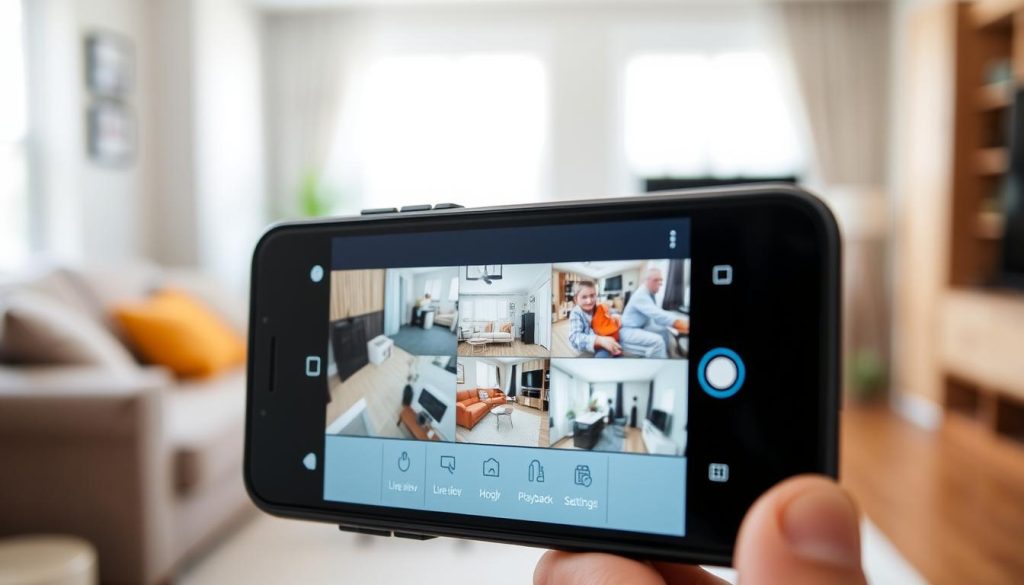
Features to Look for in a CCTV Monitoring App
Choosing the right application enhances your security experience significantly. Key features determine how effectively you can monitor your property.
Real-time viewing capabilities provide immediate visual confirmation. This feature lets you see exactly what each camera captures instantly.
Multi-camera viewing options display all feeds simultaneously. You can monitor your entire property from a single screen.
Remote configuration allows adjustment of settings from anywhere. Change recording schedules and detection sensitivity without physical access.
Cloud integration enables access to stored footage remotely. View recorded events without connecting directly to your recording device.
Bandwidth optimization maintains video quality while conserving data. This feature ensures smooth operation on mobile networks.
Historical review capabilities let you play back recorded footage. Access past events directly through your mobile interface.
User authentication and encryption protect your system access. These security measures prevent unauthorized viewing of your feeds.
Using Push Notifications for Instant Status Updates
Push notifications deliver immediate alerts about important events. They keep you informed about your security system’s status constantly.
Motion detection alerts notify you about movement events. These instant warnings enable quick response to potential security incidents.
Recording status changes trigger immediate notifications. You’ll know immediately if your system stops capturing footage.
System issues generate alerts requiring attention. Connectivity problems or storage capacity warnings prompt quick action.
Customizable notification settings let you prioritize alerts. Focus on critical events while filtering less important notifications.
Regular app updates ensure compatibility with new features. Maintain optimal performance by installing the latest versions.
Mobile applications provide the most convenient way to tell security status. They offer comprehensive control over your entire surveillance system.
Identifying and Troubleshooting Common Recording Issues
Even well-maintained surveillance setups occasionally experience technical problems. Understanding common challenges helps maintain uninterrupted property protection.
Most security camera problems fall into software or hardware categories. Quick identification leads to faster resolution and restored monitoring.
Resolving Software Glitches and Connectivity Problems
Software issues often disrupt normal recording operations. Outdated firmware represents a frequent cause of malfunctioning systems.
Regular updates maintain compatibility and security features. Always download the latest versions from manufacturer websites.
Connectivity problems affect remote access and data transmission. Check network configurations and WiFi signal strength regularly.
Internet service interruptions may temporarily disable cloud features. Local recording typically continues during these outages.
System reboots clear temporary software errors effectively. This simple step resolves many common operational problems.
Addressing Hardware Malfunctions and Power Failures
Physical components require periodic inspection and maintenance. Camera failures often result from environmental exposure or age.
Loose connections interrupt signal transmission and recording functions. Regular checks prevent these simple but disruptive issues.
Power supply problems represent critical hardware concerns. Backup solutions maintain operation during electrical outages.
Uninterrupted power supplies (UPS) provide temporary electricity during failures. These devices give you time to address the main power issue.
Storage device health directly impacts recording continuity. Monitor drive performance indicators for early warning signs.
Environmental factors like extreme temperatures affect outdoor camera performance. Protective housing and proper installation mitigate these effects.
Professional technical support handles persistent problems beyond basic troubleshooting. Manufacturer teams possess specific knowledge about their products.
Documenting issues and solutions creates valuable reference material. This practice streamlines future problem resolution.
Advanced Techniques: Using Tools for Detection
Electronic detection devices offer sophisticated methods for verifying surveillance equipment operation. These specialized tools provide technical confirmation beyond visual or software checks.
Professional security teams increasingly rely on electronic bug detectors. These devices scan environments for active surveillance signals.
How Electronic Bug Detectors Can Signal Camera Activity
Bug detectors identify active surveillance equipment through radio frequency scanning. They detect transmissions from operational security systems.
These devices respond to specific frequency ranges used by surveillance equipment. The technology can reveal hidden cameras that escape visual inspection.
Advanced models differentiate between various types of surveillance devices. They provide detailed information about detected equipment.
Key benefits of electronic detection technology include:
- Radio frequency detection identifies active camera transmissions during operation
- Ability to locate concealed surveillance devices not visible to the naked eye
- Professional-grade differentiation between legitimate security systems and potential threats
- Precise positioning features that pinpoint device locations within spaces
- Regular environmental sweeps ensure no unauthorized monitoring devices are present
Modern detectors have become more accessible for general security verification. They offer an additional layer of protection beyond standard monitoring methods.
Understanding frequency patterns helps distinguish between authorized security cameras and potential privacy threats. This knowledge enhances overall security management.
These tools provide concrete evidence about camera operational status. They help users take appropriate action against security concerns.
Regular use of detection technology maintains privacy protection in sensitive areas. It complements traditional verification methods effectively.
Proactive Practices for Uninterrupted CCTV Security
Maintaining consistent security camera performance requires regular attention to your entire surveillance setup. A well-maintained system delivers reliable protection and peace of mind.
Establish a monthly maintenance schedule for your security equipment. Check all camera angles cover intended areas without blind spots. Clean each camera lens to ensure clear recorded footage.
Regular software updates provide the latest features and protection. Monitor storage capacity to prevent automatic deletion of important data. Backup power solutions maintain operation during electrical issues.
Professional security audits identify potential vulnerabilities in your setup. They recommend improvements for optimal performance. Document all maintenance activities for future reference.
These proactive practices extend your CCTV system’s lifespan significantly. They ensure continuous monitoring and reliable security for your property.
FAQ
What do the lights on my security camera mean?
Most security cameras use LED indicators to show status. A solid green light often means the camera is powered and connected. A blinking red light typically indicates recording or motion detection activity. Always check your camera’s manual for specific light codes, as meanings vary by brand and model.
How can I check if my camera is recording without the software?
Perform simple physical checks. Look for status lights on the camera body. Listen for faint operational sounds or internal movement. Verify all power and data connections are secure. For motion-activated systems, walk in front of the camera to see if its activity light triggers.
Why can’t I find my recorded footage?
This could stem from several issues. Check that your storage device has free space and is properly connected. Verify your recording schedule or motion detection settings in the software. Ensure the camera’s time and date stamps are correct, as incorrect settings can misplace footage.
Can I monitor my security cameras remotely?
Yes, most modern systems offer remote viewing through mobile apps. These apps provide live feeds, playback access, and push notifications for alerts. Ensure your system is connected to the internet and that you’ve configured the app correctly with proper login credentials.
What should I do if my CCTV stops recording?
First, restart your system and check all power sources. Inspect cables and connections for damage. Log into the software to review settings and storage status. If problems persist, consult your user manual or contact technical support for your specific brand, like Lorex or Swann.
How does motion-activated recording work?
Motion-activated recording saves video only when the camera detects movement. This conserves storage space. The camera uses sensors to identify changes in the image. You can usually adjust the sensitivity and define specific detection zones within the camera’s software to minimize false alerts.


