
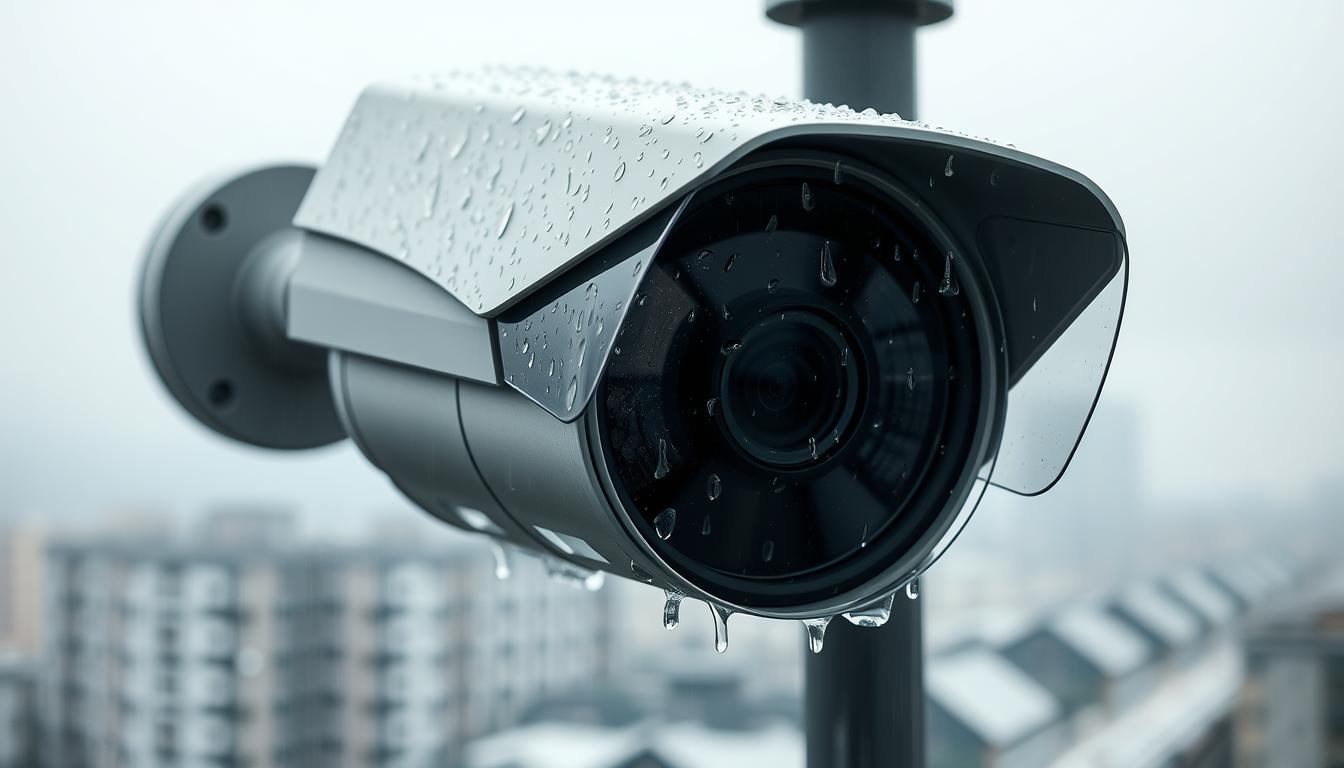
How to Stop CCTV Cameras from Picking Up Rain
Singapore’s tropical climate brings frequent rainfall that can disrupt outdoor surveillance systems. Rain droplets often trigger false motion alerts, creating frustration for security system owners.
This problem intensifies during nighttime hours when infrared sensors activate. Specific camera models like VIGI C340HPWSM and Tapo C200 are particularly susceptible to rain interference issues.
Maintaining reliable surveillance during rainy weather requires strategic solutions. This guide provides comprehensive approaches to address water-related camera problems.
From settings adjustments to hardware upgrades, you’ll discover practical methods to enhance your security system’s performance. Proper implementation can significantly reduce false alerts while maintaining surveillance effectiveness.
Follow these actionable tips to ensure your cameras work well despite Singapore’s challenging weather conditions. Reliable security shouldn’t be compromised by rain moisture or bad weather.
Key Takeaways
- Rain droplets frequently trigger false motion alerts in outdoor security systems
- Nighttime infrared sensors are particularly vulnerable to rain interference
- Specific camera models show higher susceptibility to weather-related issues
- Multiple solutions exist from settings adjustments to physical protection
- Proper implementation maintains security effectiveness during rainy conditions
- Regular maintenance ensures optimal camera performance in all weather
- Professional camera installation can prevent many rain-related problems
Understanding How Rain Disrupts Your CCTV Surveillance
Rainfall creates unique challenges for outdoor security monitoring. Understanding these mechanisms helps implement effective solutions for reliable protection.
The Science Behind False Rain Alerts
Modern security cameras analyze sequential image frames for changes. Raindrops falling through the view create constant pixel variations.
These water-induced changes mimic genuine movement patterns. The system interprets them as potential security events.
Different rainfall intensities produce varying interference levels. Heavy downpours create more frequent false alerts than light drizzles.
Why Nighttime and Infrared Worsen the Problem
Infrared illumination reflects off water droplets dramatically. This creates bright spots that overwhelm motion detection algorithms.
Night vision capabilities amplify rain-related issues significantly. The combination of darkness and precipitation challenges even advanced systems.
Some camera models handle these conditions better than others. Technical specifications determine weather resistance capabilities.
Impact of Singapore’s Tropical Climate on Camera Performance
Singapore’s high humidity affects electronic components continuously. Moisture penetration can lead to long-term performance degradation.
Frequent rainfall creates persistent exposure to water elements. This demands robust weatherproofing for reliable operation.
Constant tropical conditions accelerate wear on protective seals. Regular maintenance becomes essential for sustained performance.
Understanding these factors helps choose appropriate protective measures. Proper implementation ensures surveillance systems work effectively despite challenging weather.
How Motion Detection Works and Why Rain Triggers It
Motion detection algorithms form the backbone of modern security camera functionality. These sophisticated systems constantly analyze video streams to identify potential security events. Understanding this process explains why weather elements often create false alerts.
Frame-by-Frame Analysis: The Core of Detection
Security cameras capture continuous video as a sequence of individual frames. The system compares each new frame against a established baseline image. Any significant pixel changes trigger the motion detection mechanism.
Algorithms establish baseline images during periods of inactivity. This reference point represents the normal state of the monitored area. The system then monitors for deviations from this established norm.
Detection sensitivity determines what level of change activates alerts. Higher settings catch minor variations while lower settings ignore smaller changes. This threshold significantly impacts false alarm frequency.
Environmental Factors That Mimic Real Motion
Many natural elements create pixel changes that resemble genuine movement. Falling rain presents particular challenges due to its random patterns. Water droplets create constant, unpredictable changes across the entire view.
Other environmental factors also trigger false alerts regularly. Moving foliage, insects, and small animals create similar detection issues. Even shifting shadows during cloudy weather can activate motion sensors.
Camera resolution and frame rate affect detection accuracy significantly. Higher resolution systems capture more detail but also more environmental noise. Faster frame rates provide more data but require greater processing power.
Advanced systems use object-based detection rather than simple pixel analysis. This technology distinguishes between different movement types and patterns. It can differentiate between falling rain and actual security threats.
Real-time analysis demands substantial computational resources. The system must process multiple frames simultaneously while comparing changes. Different weather conditions affect algorithm performance in various ways.
Heavy rainfall creates more detection issues than light drizzle. Wind-driven rain patterns prove particularly challenging for motion systems. Understanding these factors helps configure cameras for better performance.
How do I stop my CCTV from picking up rain?
Combatting rain interference requires a multi-faceted approach to security system optimization. Multiple strategies work together to minimize false alerts during precipitation events.
An Overview of Your Proactive Solution Toolkit
Your security cameras can achieve better performance in bad weather through various methods. These approaches range from simple settings adjustments to physical equipment upgrades.
Most surveillance systems benefit from combining several solutions simultaneously. This layered protection addresses rain moisture from different angles for comprehensive coverage.
Software adjustments provide immediate improvements without additional costs. These include sensitivity calibration and detection zone configuration.
Hardware modifications offer more permanent solutions to weather-related issues. Physical protections like weatherproof housing prevent water penetration effectively.
Understanding your specific camera model’s capabilities is crucial for optimal results. Different systems have varying features for handling challenging conditions.
Environmental factors influence which solutions work best for each location. Urban settings might require different approaches than residential areas.
Upcoming sections detail each major solution category with implementation guidance. You’ll learn practical steps for each protection method.
Cost-effective options exist for every budget level from free to premium. Many improvements require minimal investment while delivering significant benefits.
Proper implementation of these strategies ensures reliable surveillance performance. Your security system will work well despite Singapore’s frequent rainfall.
Fine-Tuning Your Camera’s Sensitivity Settings
Proper sensitivity calibration offers the fastest way to reduce weather-related false alarms. This adjustment directly impacts how your security cameras respond to environmental changes.
Most modern cctv systems provide sensitivity controls through mobile apps or web interfaces. Finding the optimal setting requires understanding your specific environment and camera placement.
Step-by-Step Guide to Lowering Detection Sensitivity
Accessing sensitivity settings varies by brand but follows similar patterns. Here’s how to navigate major security camera interfaces:
- VIGI Cameras: Open VIGI app → Select camera → Settings → Detection → Adjust sensitivity slider
- Tapo Systems: Tapo app → Camera settings → Motion Detection → Sensitivity level → Choose between 1-6
- Generic DVR Systems: Web interface → Camera configuration → Motion detection → Sensitivity percentage
Begin with medium settings and test during actual rainfall. Gradually decrease sensitivity until false alerts diminish significantly.
Document each change to track what works best for your conditions. This creates a reference for future adjustments.
Balancing Sensitivity: Avoiding False Alarms vs. Missing Real Threats
Reducing sensitivity too much creates security gaps. The goal is finding the sweet spot where cameras work effectively without constant false notifications.
Consider these factors when establishing baseline settings:
- Camera placement relative to weather exposure
- Typical rainfall intensity in your area
- Distance to monitored areas requiring protection
- Time of day and lighting conditions
Night settings often require different sensitivity than daytime configurations. Infrared illumination reacts differently to rain moisture than visible light.
Test various settings during different weather conditions. Note which levels provide the best performance during both clear and rainy weather.
Combine sensitivity adjustments with other detection features like activity zones. This layered approach helps maintain security while minimizing false alerts.
Monitor effectiveness for several days after changes. Make incremental adjustments if needed rather than drastic changes.
If sensitivity adjustments alone don’t solve the problem, consider additional solutions like weatherproof housing or different camera models.
Strategically Defining Motion Detection Activity Zones
Defining specific detection areas within your camera’s field of view dramatically reduces weather-related false notifications. This approach allows your security system to focus on critical zones while ignoring problematic areas that frequently trigger false alerts.
Activity zones represent one of the most effective solutions for maintaining surveillance quality during challenging weather conditions. Proper implementation ensures your cameras work effectively despite environmental challenges.
How to Map Out Critical Areas in Your Camera’s View
Begin by identifying essential security areas that require constant monitoring. These typically include entry points, walkways, and valuable asset locations.
Most modern cctv systems offer intuitive zone configuration through mobile applications or web interfaces. The process involves drawing custom shapes over your camera’s live view.
Follow these general steps for most security camera brands:
- Access your camera’s settings through the manufacturer’s app
- Navigate to motion detection or activity zones section
- Use the drawing tools to create polygons over critical areas
- Save configurations and test during different times of day
Zone shapes should cover entire areas of interest without unnecessary overlap. Rectangular zones work well for straight pathways while custom polygons suit irregular spaces.
Consider lighting changes throughout the day when mapping zones. Areas that appear different at night may require separate zone configurations.
Excluding Problem Areas: Roof Runoff, Trees, and Busy Streets
Identify zones that consistently cause false alerts during rainfall. Common problematic areas include roof edges where water runoff occurs, tree branches that move in wind, and public streets with constant traffic.
Effective exclusion requires careful observation during actual rainfall events. Note which areas trigger the most false notifications and create exclusion zones around them.
Key areas to typically exclude from motion detection:
- Roof edges and gutter downspouts where water flows heavily
- Tree canopies and branches that move during storms
- Public roads and sidewalks with regular traffic patterns
- Reflective surfaces that create glare during rainy conditions
- Areas where rain accumulates or splashes consistently
Maintain a balance between excluded areas and essential coverage. Ensure critical security zones remain fully monitored while minimizing unnecessary alerts.
Test your zone configuration during various weather conditions to ensure optimal performance. Make adjustments as needed based on actual results rather than assumptions.
Regular reviews of zone effectiveness help maintain peak security system performance. Seasonal changes may require zone adjustments as environmental conditions evolve.
Leveraging Advanced Object Classification Features
Modern security systems now incorporate artificial intelligence to distinguish between different movement types. This technology represents a significant advancement in surveillance capabilities.
AI-powered classification analyzes movement patterns and object characteristics. It identifies specific elements like people, vehicles, and animals accurately.
This intelligent filtering dramatically reduces false alerts during challenging weather. Your security system becomes more reliable despite environmental conditions.
What Smart Object Detection (People, Vehicle) Can Do for You
Smart detection technology brings multiple benefits to your surveillance setup. It focuses on genuine security threats while ignoring environmental interference.
The system analyzes shape, size, and movement patterns of detected objects. This allows precise identification of different target types.
Key advantages include:
- Elimination of rain-related false alerts through intelligent filtering
- Reduced notification fatigue by focusing on relevant security events
- Improved response times to genuine security incidents
- Better resource allocation for security monitoring personnel
Modern systems achieve over 95% accuracy in optimal conditions. Even during heavy rainfall, classification maintains strong performance.
Activating and Configuring Classification in Your Camera’s App
Most modern security cameras offer object classification through their mobile applications. The activation process varies slightly between brands but follows similar patterns.
For VIGI systems: Open the VIGI app → Select your camera → Settings → Smart Detection → Enable People/Vehicle detection
For Tapo cameras: Tapo app → Camera settings → Detection → Smart Detection → Choose object types
Configuration tips for Singapore’s environment:
- Enable both people and vehicle detection for comprehensive coverage
- Adjust sensitivity based on camera placement and typical weather patterns
- Test settings during different times of day and weather conditions
- Regularly update camera firmware for improved classification algorithms
Advanced systems from brands like Hikvision and Dahua offer the most sophisticated classification features. These models handle Singapore’s humid conditions exceptionally well.
The technology works effectively in various lighting conditions including nighttime infrared. Computational requirements are minimal for modern camera processors.
Proper configuration ensures your security system focuses on what matters most. You maintain protection while eliminating weather-related distractions.
Optimal Camera Placement to Minimize Rain Exposure
Strategic positioning transforms how your surveillance handles precipitation challenges. Smart placement decisions create natural barriers against water interference while maintaining full coverage.
This approach offers cost-effective rain protection without additional equipment investments. Proper positioning significantly enhances camera performance during Singapore’s frequent storms.
Choosing Locations Under Eaves and Overhangs
Architectural features provide excellent natural shielding from direct rainfall. Eaves and overhangs create protective canopies that block most water exposure.
These structures keep lenses dry while maintaining clear sightlines. The security system benefits from reduced moisture contact with critical components.
Singaporean homes often feature generous roof overhangs suitable for camera mounting. Position your equipment approximately 30 centimeters from the outer edge for optimal coverage.
Commercial buildings may require different placement strategies due to architectural variations. Always prioritize areas with existing overhead protection when possible.
The Importance of Camera Angle and Field of View
Angulation directly impacts how water interacts with your surveillance equipment. Tilting the lens downward slightly prevents rain accumulation on the glass surface.
This simple adjustment maintains a clear image while deflecting water runoff. The ideal angle balances weather protection with surveillance needs.
Maintain at least 15-20 degrees downward tilt for most installations. This position helps avoid rain accumulation while preserving critical coverage areas.
Test different angles during actual rainfall to find the perfect balance. Small adjustments can dramatically improve performance during rainy weather.
Avoiding Zones Prone to Splashback and Reflections
Certain areas amplify water-related interference through splash effects and reflections. Identifying these problematic zones prevents unnecessary detection issues.
Common trouble spots include downspout outlets, paved surfaces, and reflective windows. These areas create secondary water movement that triggers false alerts.
Position cameras away from drainage paths and collection points. Maintain minimum distances from surfaces where water accumulates or splashes regularly.
Reflective surfaces like glass and metal create additional challenges during storms. Angle cameras away from these materials to reduce glare and reflection problems.
Singapore’s urban environment contains many reflective surfaces that require careful consideration. Strategic placement helps maintain surveillance quality despite these challenges.
Implementing PIR (Passive Infrared) Sensors for Accuracy
Heat-based detection technology offers a revolutionary approach to reliable security monitoring. Passive infrared sensors detect thermal energy rather than visual movement patterns.
This fundamental difference makes them immune to environmental interference. Rain, wind, and moving foliage no longer trigger false security alerts.
Integrating these sensors with existing security cameras creates a dual-verification system. This combination ensures only genuine threats activate your surveillance alerts.
How Heat-Signature Detection Ignores Rain and Foliage
PIR technology works by detecting infrared radiation emitted by warm objects. Living beings and vehicles produce distinct heat signatures that sensors recognize.
Environmental elements like rain and foliage remain at ambient temperature. The system automatically ignores these cooler objects during detection.
Key advantages of thermal detection include:
- Complete immunity to weather conditions including heavy rainfall
- No false alerts from moving vegetation or water runoff
- Consistent performance during day and night operations
- Reduced computational load compared to video analytics
These sensors maintain accuracy even during Singapore’s intense tropical storms. Your security system continues working well despite challenging conditions.
Integrating PIR Sensors with Your Existing CCTV System
Modern PIR sensors feature straightforward integration with most surveillance setups. Many connect wirelessly or through standard alarm system interfaces.
Brands like Hikvision and Dahua offer cameras with built-in PIR capabilities. These integrated units simplify installation while providing excellent performance.
Installation considerations for optimal results:
- Position sensors 6-8 feet above ground level for best coverage
- Avoid pointing sensors toward heat sources like air conditioner units
- Maintain clear detection zones free of obstructions
- Test sensor range during different times of day
Dual verification systems require both visual and thermal detection to activate alerts. This approach virtually eliminates false notifications while maintaining security effectiveness.
Professional installation ensures proper calibration and integration. Technicians can optimize placement for your specific environment and security needs.
Regular maintenance involves cleaning sensor lenses and checking alignment. Tropical climates may require more frequent inspections to ensure optimal performance.
Investing in Protective Housing and Weatherproof Enclosures
Durable external casings transform vulnerable electronics into weather-resistant security assets. These protective solutions create physical barriers against environmental elements that disrupt surveillance operations.
Proper enclosure selection significantly enhances equipment longevity in tropical conditions. The right housing maintains optimal performance during heavy rainfall and intense sunlight.
Types of Waterproof Housings: Boxes, Domes, and Blisters
Weatherproof boxes offer maximum protection for larger camera models. These rectangular enclosures feature transparent fronts and secure mounting systems.
Dome housings provide 360-degree coverage with discreet profiles. Their curved design helps water runoff and reduces visible detection.
Bubble or blister housings suit compact cameras with specific mounting needs. These units maintain small footprints while offering adequate weather protection.
Each housing type serves different installation requirements and environments. Selection depends on camera size, location, and aesthetic considerations.
Key Features to Look For: IP Ratings, UV Resistance, and Durability
IP ratings indicate protection levels against solid and liquid ingress. IP66 certified housings withstand powerful water jets from any direction.
IP67 units offer complete immersion protection up to one meter depth. These ratings ensure reliable operation during Singapore’s heaviest rainfall.
UV-resistant materials prevent yellowing and degradation from constant sun exposure. Polycarbonate and aluminum alloys maintain structural integrity in tropical climates.
Additional features enhance performance and longevity:
- Heated glass for fog prevention during temperature changes
- Sun shields to reduce glare and heat buildup
- Vandal-resistant construction for public installations
- Built-in cable management for weatherproof connections
Quality materials withstand Singapore’s high humidity and temperature fluctuations. Investment in proper housing prevents frequent replacements and maintenance issues.
Regular inspection ensures continued protection against environmental challenges. Proper installation maintains the security system’s effectiveness during all weather conditions.
Selecting the Right Weatherproof CCTV Camera Model
Equipment selection plays a crucial role in combating environmental challenges. Choosing appropriate hardware ensures reliable performance during Singapore’s frequent storms.
Weatherproof models offer built-in protection against moisture and humidity. These specialized units maintain clear surveillance despite challenging conditions.
Understanding IP Ratings: What IP66 and IP67 Really Mean
Ingress Protection ratings indicate equipment resistance to environmental elements. The two-digit code specifies protection levels against solids and liquids.
IP66 certification means complete dust protection and resistance to powerful water jets. These cameras withstand heavy rainfall and strong winds effectively.
IP67 rated equipment offers temporary immersion protection up to one meter depth. This provides additional security during flooding or extreme weather events.
Singapore’s climate demands at least IP66 rating for outdoor installations. This ensures reliable operation during tropical downpours and high humidity.
Recommended Camera Models for Singapore’s Humid Climate
Several brands offer excellent performance in tropical conditions. These models combine weather resistance with advanced features.
Hikvision’s ColorVu series provides outstanding image quality during rainy nights. Their weatherproof construction handles humidity exceptionally well.
Reolink cameras feature robust housing and reliable detection algorithms. Many models exceed basic IP66 requirements for enhanced protection.
VIGI and Tapo offer budget-friendly options with adequate weatherproofing. Select specific models designed for outdoor tropical use.
Consider these additional features for optimal performance:
- Heated lenses prevent fogging during temperature changes
- Wide dynamic range handles challenging lighting conditions
- Sturdy mounting hardware withstands strong winds
- Corrosion-resistant materials for long-term reliability
Professional installation ensures proper weatherproofing implementation. Technicians verify all connections and seals meet environmental requirements.
Investment in quality equipment prevents frequent maintenance and replacements. Your security system maintains consistent performance despite weather challenges.
Essential Regular Maintenance to Prevent Water Damage
Consistent upkeep forms the foundation of reliable outdoor surveillance performance. Proper maintenance prevents moisture-related issues before they compromise your security system.
Singapore’s humid climate demands more frequent attention than temperate regions. Quarterly inspections help maintain optimal camera performance throughout the year.
Routine Inspection Checklist for Signs of Moisture
Create a systematic approach to examining your security equipment. Look for these critical indicators during each inspection:
- Condensation inside lens covers or housing units
- White corrosion spots on metal components and connections
- Cracked or peeling weatherproof seals around edges
- Water streaks or mineral deposits on exterior surfaces
- Foggy images or inconsistent focus during operation
Document all findings for comparison during future inspections. This tracking helps identify developing problems before they cause major issues.
Pay special attention after heavy rainfall events. Check for water accumulation around mounting points and electrical connections.
Cleaning Lens Covers and Housings Without Causing Damage
Use appropriate cleaning techniques to maintain clear visibility. Avoid abrasive materials that can scratch optical surfaces.
Microfiber cloths work best for removing dust and light debris. For stubborn spots, use lens cleaning solution specifically designed for optical surfaces.
Always clean from the center outward using circular motions. This prevents pushing dirt toward the edges where it can accumulate.
For exterior housing, use mild soap solutions and soft brushes. Rinse thoroughly with distilled water to prevent mineral deposits.
Never use high-pressure water streams on any camera components. This can force moisture past seals and into sensitive areas.
Maintaining the Integrity of Seals and Gaskets
Weatherproof seals degrade over time due to UV exposure and temperature changes. Regular inspection ensures they continue providing adequate protection.
Check rubber gaskets for flexibility and complete sealing. Brittle or cracked seals require immediate replacement to maintain weather resistance.
Clean seal surfaces before applying silicone lubricant. This maintains flexibility and prevents drying in Singapore’s climate.
For cameras with screw-on covers, verify proper tightness after cleaning. Loose fittings can allow moisture penetration during heavy storms.
Consider professional security camera maintenance for complex seal replacement. Technicians have specialized tools and materials for optimal weatherproofing.
Keep replacement seals available for quick repairs when needed. This minimizes downtime during Singapore’s frequent rainy periods.
Proactive Moisture Control Inside Camera Housings
Internal humidity management represents a critical yet often overlooked aspect of surveillance reliability. Singapore’s high humidity levels demand proactive measures beyond external weatherproofing.
Effective moisture control prevents condensation buildup that clouds lenses and damages electronics. These simple solutions maintain clear visibility and extend equipment lifespan significantly.
Using Silica Gel Packets as Desiccants
Silica gel packets offer an inexpensive yet powerful defense against internal humidity. These small desiccant bags absorb ambient moisture effectively.
The crystals trap water molecules through physical adsorption. This process reduces relative humidity inside enclosed spaces dramatically.
Proper placement ensures optimal performance for your security equipment. Mount packets away from electrical components and moving parts.
Common installation locations include:
- Upper housing areas where heat accumulates
- Near ventilation points where moisture enters
- Behind camera modules away from lens surfaces
- Multiple locations in larger enclosure systems
Replacement schedules depend on Singapore’s humidity levels. Typically, change packets every 2-3 months during rainy seasons.
Indicator packets simplify monitoring by changing color when saturated. Blue-to-pink transitions signal needed replacements clearly.
Safety remains paramount when using desiccants near electronics. Ensure packets remain securely mounted and cannot contact circuitry.
The Role of Anti-Fog Technology and Coatings
Advanced anti-fog solutions prevent condensation formation on lens surfaces. These technologies maintain clear visibility during temperature fluctuations.
Various approaches address fogging through different mechanisms. Each method offers unique advantages for specific installation conditions.
Heated lens elements represent the most effective professional solution. Small heating coils maintain surface temperature above dew point.
Chemical coatings provide cost-effective protection for consumer-grade equipment. These hydrophilic treatments prevent water droplet formation.
Application methods vary by product type and camera design. Some solutions require professional installation while others suit DIY approaches.
Effectiveness in Singapore’s climate depends on proper implementation. High humidity demands more robust solutions than temperate regions.
Monitor performance regularly during different weather conditions. Note any fogging issues despite preventive measures.
Persistent moisture problems may indicate inadequate weatherproofing. Consider comprehensive system evaluation if issues continue.
Proper Cable Management and Connection Weatherproofing
Electrical connections represent the most vulnerable points in any outdoor surveillance setup. Water infiltration through cables and connectors can damage entire security systems during heavy rainfall.
Singapore’s tropical climate demands exceptional protection for all exposed wiring. Proper weatherproofing prevents moisture-related failures that compromise surveillance effectiveness.
Using Waterproof Conduits and Junction Boxes
Waterproof conduits provide the first line of defense against environmental moisture. These protective tubes shield cables from direct water exposure and physical damage.
Choose UV-resistant PVC or metal conduits for Singapore’s climate. These materials withstand constant sun exposure and high humidity without degradation.
Junction boxes organize connections while providing weather protection. Look for IP66 or higher rated enclosures that offer complete water resistance.
Installation tips for optimal performance:
- Mount junction boxes under eaves or other protected areas
- Ensure conduit entries face downward to prevent water entry
- Use waterproof cable glands for all entry points
- Maintain slight slopes in conduit runs for water drainage
Sealing Connections with Weatherproof Tape and Grease
Weatherproof tape creates reliable seals around cable connections. This specialized tape adheres tightly while remaining flexible in various temperatures.
Dielectric grease prevents moisture penetration at electrical contacts. This silicone-based compound displaces water while maintaining conductivity.
Proper application ensures long-lasting protection:
- Clean all surfaces thoroughly before application
- Wrap tape with 50% overlap for complete coverage
- Apply grease generously to all metal contacts
- Inspect seals quarterly for signs of deterioration
Combine these methods for maximum protection. Layered weatherproofing handles Singapore’s heaviest rainfall effectively.
Regular maintenance preserves connection integrity over time. Address any signs of wear immediately to prevent water damage.
Professional installation ensures optimal weatherproofing implementation. Technicians verify all seals meet environmental requirements.
Recognizing the Early Warning Signs of Water Damage
Early detection of moisture problems preserves your surveillance investment and maintains security effectiveness. Spotting initial warning signs allows for timely intervention before complete system failure occurs.
Singapore’s humid environment accelerates water-related deterioration in outdoor equipment. Regular inspection helps identify issues while they remain manageable.
Visual Cues: Corrosion, Condensation, and Lens Fogging
Visible indicators provide the first clues about moisture penetration. These signs appear gradually but signal developing problems.
White or green corrosion spots on metal components indicate water exposure. These typically form around screws, mounts, and connection points.
Condensation inside lens covers suggests seal failure or internal humidity issues. Temporary fogging after temperature changes differs from persistent moisture buildup.
Water streaks or mineral deposits on exterior surfaces show repeated water contact. These patterns help identify problem areas needing additional protection.
Performance Issues: Glitchy Feeds and Focus Problems
Operational changes often precede visible damage in security equipment. These symptoms indicate moisture affecting electronic components.
Intermittent video feeds or connection drops suggest water damage to cables or connectors. These issues frequently worsen during or after rainfall.
Focus problems and blurred images may indicate moisture on lens elements or internal components. Autofocus systems struggle with water-distorted surfaces.
Irregular recording patterns or missed events signal processing issues. Moisture can disrupt internal circuitry before visible damage appears.
Differentiating between temporary condensation and serious water damage requires observation. Persistent issues lasting days indicate serious problems needing attention.
Water damage progresses from minor condensation to component failure without intervention. Early signs lead to circuit corrosion and eventual system breakdown.
Document findings with photographs and detailed notes for warranty claims. Record dates, weather conditions, and specific symptoms observed.
Immediate troubleshooting involves drying affected components and improving weatherproofing. Disconnect power before examining water-damaged equipment.
Repair possibilities depend on damage extent and equipment quality. Professional assessment determines whether restoration or replacement makes economic sense.
Safety precautions include power disconnection and professional handling of damaged equipment. Water and electricity create dangerous combinations.
Prevent further damage by implementing temporary weather protection until permanent solutions arrive. Cover equipment and address moisture sources immediately.
Regular maintenance and proactive measures keep your security system working well despite challenging conditions.
Considering a Professional Installation for Optimal Results
Expert installation transforms your surveillance setup from basic protection to weather-resistant security. Professional technicians bring specialized knowledge that addresses Singapore’s unique climate challenges effectively.
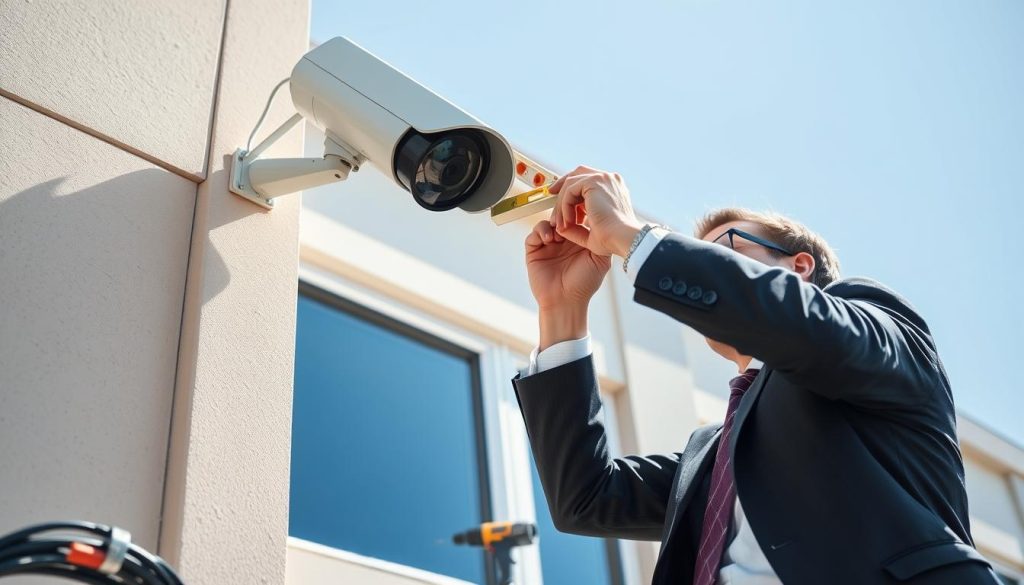
The Benefits of Expert Assessment and Placement
Certified installers evaluate your property’s specific environmental factors. They identify problem areas that might cause issues during heavy rainfall.
Key advantages include:
- Optimal camera positioning to minimize direct rain exposure
- Proper angulation that prevents water accumulation on lenses
- Strategic placement away from reflective surfaces and splash zones
- Integration with existing architectural features for natural protection
Technical assessment covers electrical safety and weatherproofing requirements. Professionals ensure all components meet Singapore’s humid climate demands.
Ensuring Long-Term System Integrity and Warranty Compliance
Manufacturer warranties often require professional installation for validation. Certified technicians follow specific guidelines that maintain coverage terms.
Proper installation prevents common issues that void warranties:
- Incorrect weatherproofing methods that lead to moisture damage
- Improper cable management causing connection failures
- Inadequate mounting that fails during severe weather
- Electrical issues from non-compliant wiring practices
Long-term reliability comes from correct implementation of protection measures. Professional work ensures your security system performs well for years.
Selecting qualified installers involves checking certifications and experience. Look for technicians familiar with tropical climate challenges.
Cost-benefit analysis shows professional installation saves money over time. Reduced maintenance and longer equipment lifespan offset initial investment.
Installation typically includes comprehensive weather protection measures. These include proper sealing, conduit placement, and moisture control implementation.
Future expansion plans integrate seamlessly with professionally installed systems. Technicians design layouts that accommodate additional cameras easily.
Ask potential installers about their experience with weatherproofing solutions. Inquire about specific brands and models they’ve worked with previously.
Professional installation guarantees your surveillance remains effective despite challenging conditions. The investment ensures reliable security during Singapore’s frequent rainfall.
Ensuring Year-Round Security in Any Weather
Effective rain protection requires a layered approach combining multiple strategies. This comprehensive method ensures your security system performs reliably during Singapore’s frequent storms.
Combine software adjustments with physical solutions for maximum effectiveness. Regular maintenance preserves camera performance despite challenging weather conditions.
Investing in proper weatherproofing creates lasting protection against moisture issues. These measures provide peace of mind knowing your surveillance remains active.
Consistent implementation significantly reduces rain-related problems. Your equipment will work well throughout seasonal changes.
This multi-faceted approach delivers cost-effective security that withstands tropical conditions. Your surveillance system maintains quality coverage year-round.
FAQ
Why does rain cause false alarms on my security cameras?
Raindrops and moisture reflect light, especially at night with infrared. This movement tricks motion detection into thinking it sees real activity.
What are the best camera settings to avoid rain triggers?
Lower motion sensitivity and use activity zones to ignore areas where rain often falls. Enable smart detection features like person or vehicle alerts.
How can camera placement reduce rain-related issues?
Install cameras under eaves or overhangs to shield them. Angle them away from reflective surfaces and spots prone to splashback.
What does a weatherproof rating like IP66 mean?
IP66 means the camera is dust-tight and protected against heavy rain. It’s a key feature for reliable performance in bad weather.
Can protective housing help my surveillance system in the rain?
Yes. Weatherproof enclosures keep water out and protect internal components. Look for UV-resistant, durable housing with proper seals.
How do I maintain my CCTV system during rainy seasons?
Regularly check seals, clean lenses, and ensure no moisture enters housing. Use silica gel packets to control internal humidity.
Are some camera types better for wet climates?
Yes. Dome cameras often handle rain well due to their shape. Models with high IP ratings, like IP67, offer superior rain protection.
Should I consider professional installation for weather resistance?
A> Professional installers assess your property for optimal placement and weatherproofing. This ensures long-term performance and warranty compliance.


