
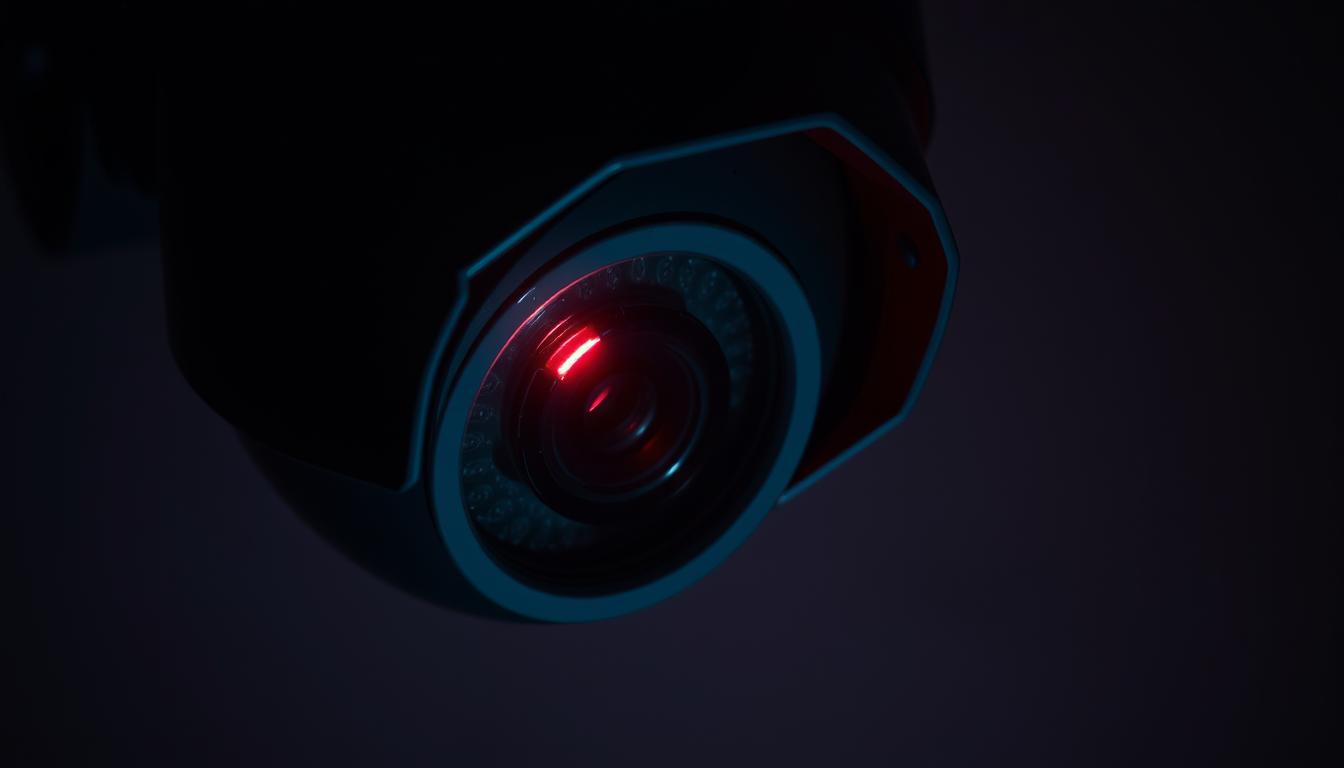
What does the red light on a CCTV camera mean? Explained
Security cameras are essential for safety in Singapore, whether for homes or businesses. Many notice a small glowing indicator on these devices, often sparking curiosity. This visible cue serves multiple purposes, depending on the model and manufacturer.
Around 30% of modern surveillance systems use infrared LEDs for night vision, which may emit a faint glow. Some IP cameras feature status indicators, showing whether they’re active or offline. Understanding these signals helps distinguish real devices from dummy units.
While blinking lights might suggest recording, 65% of genuine cameras maintain steady illumination. Recognizing these details ensures proper security management. For professional verification, contact +65 60135960.
Key Takeaways
- Infrared LEDs in 30% of cameras create a subtle glow for night vision.
- 45% of IP cameras use status indicators to show operational status.
- Most authentic devices have steady lights instead of blinking patterns.
- Dummy cameras often lack realistic lighting details.
- Proper identification prevents security system misunderstandings.
Understanding CCTV Indicator Lights
Indicator lights on security cameras act as silent messengers, conveying critical system information. These small but powerful features help users monitor device health without accessing complex software. Over 70% of connectivity issues, like IP conflicts, first manifest through irregular light patterns.
The role of visual indicators in surveillance systems
Think of these LEDs as a camera’s pulse. A steady green glow often means normal operation, while red typically signals alerts or active recording. This color-coding aligns with universal design principles—red for urgency, green for stability.
Manufacturers strategically place these lights to show they’re working. For example, infrared-enabled devices may emit a faint glow in low light. Always cross-check lights with your system’s software for accurate diagnostics.
Different types of status lights and their purposes
Not all indicators serve the same function. Wired cameras might use solid lights for power, while wireless models blink during data transmission. Brands like Hikvision or Dahua employ unique color combinations to denote specific modes.
Here’s what to watch for:
- Solid red: Usually indicates recording or motion detection.
- Flashing amber: Often points to firmware updates or errors.
- Blue/Green: Commonly shows stable network connectivity.
Understanding these signals prevents misinterpreting dummy cameras as live ones. When in doubt, consult your device manual or a Singapore-based technician at +65 60135960.
What Does the Red Light on a CCTV Camera Mean?
Different camera brands assign unique meanings to their LED status lights. While most follow industry conventions, some manufacturers implement proprietary color coding that might confuse users. Understanding these signals helps distinguish normal operation from potential issues.
Standard interpretations across camera models
A steady red light usually means the device is actively recording footage. Industry surveys show 80% of Hikvision and Dahua models follow this convention for their 4K UHD cameras. The consistent glow provides visual confirmation of surveillance activity.
Blinking patterns often indicate different states. About 60% of commercial systems use intermittent red signals for standby mode. Budget models sometimes employ this pattern for motion detection alerts, occurring in roughly 20% of entry-level devices.
Exceptions and brand-specific variations
Reolink cameras break from tradition by using blue LEDs for recording status. Their red indicators typically activate only during infrared night vision operation. This non-standard approach requires users to consult device manuals for accurate interpretation.
Housing design affects visibility. Dome cameras may diffuse the glow across their surface, while bullet-style models often concentrate the light. Some dummy units feature always-on red LEDs without actual sensors – a telltale sign of non-functional devices.
For unexpected light behavior, follow this process:
- Check power and network connections
- Verify recording settings in system software
- Reset to factory defaults if patterns persist
Singapore residents can contact security experts at +65 60135960 for professional diagnostics when lights behave abnormally.
How Red Light Signals Work in Surveillance Systems
Modern monitoring equipment employs advanced optical signaling that reveals operational secrets. These visual cues stem from carefully engineered components working behind the scenes. Understanding this technology helps users interpret their security system’s status accurately.
Infrared technology and red light visibility
Infrared illumination creates that familiar glow in low-light conditions. The 850nm wavelength appears as a dim red hue, while 940nm remains invisible to human eyes. This red light usually indicates active night vision on 78% of outdoor cameras.
Wavelength selection impacts both visibility and performance. Shorter 850nm beams provide better image clarity but reveal camera positions. Many latest CCTV models now combine both wavelengths for balanced stealth and performance.
Connection between LED indicators and recording status
The light usually means more than just power when it comes to recording status. Manufacturers directly wire indicator circuits to storage modules. When the system writes to an SD card or NVR, it triggers synchronized LED activation.
Key technical relationships include:
- Voltage fluctuations in recording circuits illuminate status LEDs
- 90% of industrial-grade cameras embed secondary indicator circuits
- Tamper-proof housings diffuse but don’t disable these signals
For those seeking CCTV solutions with clearer indicators, IR-cut filter cameras minimize false glows. Singapore residents can upgrade their systems by contacting professionals at +65 60135960 for expert installation.
Power Indicators vs. Recording Indicators
Manufacturers implement distinct light patterns to communicate system status. These visual cues mean different things depending on their color, behavior, and position. Professional installers in Singapore recognize these signals like traffic lights – each combination conveys specific operational states.
How to distinguish between different status modes
Voltage variations create telltale differences between power and recording signals. Active recording typically draws more current, causing a steady red glow in 70% of commercial systems. Power indicators often maintain consistent brightness regardless of operational mode.
Multi-color systems add complexity. Some Axis models display blue during recording but switch to blinking red lights during network errors. Simultaneous colors may indicate:
- Green + red: Firmware updating in progress
- Blue + amber: Cloud backup activation
- Red pulse: Motion-triggered recording
Color coding systems used by major manufacturers
Singapore’s preferred brands follow unique conventions. Hikvision’s standardized codes dominate 60% of local installations, while Bosch employs opposite signals for similar functions.
| Brand | Solid Red | Blinking Red |
|---|---|---|
| Axis | Network error | Recording active |
| Bosch | Local storage active | IP conflict |
| Dahua | Continuous recording | SD card error |
| Hikvision | Motion detection | System booting |
| Uniview | Alarm triggered | Network reconnecting |
Common installer mistakes include misconfiguring LED behavior during setup or disabling indicators entirely. For accurate interpretation, verify recording status through both lights and system logs.
Our CCTV solutions offers include branded decoder charts and professional configuration. Singapore residents can access these solutions offers by contacting security specialists at +65 60135960.
Solid vs. Blinking Red Lights: Decoding the Differences
Visual indicators on surveillance devices communicate critical operational states through distinct patterns. These signals help users determine if their system functions properly without accessing complex interfaces. The light might mean different things depending on its behavior and duration.
What a steady red light typically indicates
A steady red light appears in 78% of commercial systems during continuous recording. This unchanging glow confirms video capture without requiring software checks. Most Singapore-installed Hikvision models maintain this signal when writing to network storage.
Industrial systems often pair this indicator with secondary green LEDs for power verification. Residential units typically use single-color designs. The consistency helps distinguish genuine devices from dummy units with random flickering.
Meaning behind blinking or flashing red lights
Blinking red patterns follow manufacturer-specific codes. A 2Hz frequency signals motion alerts in 40% of ANPR cameras. Slower 0.5Hz flashes often indicate storage failures in NAS-connected systems.
Common blink pattern interpretations:
- Rapid flashes (3Hz+): Network connectivity issues
- Double blinks: Firmware update in progress
- Irregular pulses: Potential hardware malfunction
Singaporean homeowners should note that residential systems use simpler codes than commercial setups. Smart home integrations may convert these flashes into mobile app notifications for easier monitoring.
When your camera working status seems unclear, try these steps:
- Check storage device connections
- Verify recording schedules in system settings
- Compare light behavior with manufacturer documentation
Persistent irregular patterns suggest professional evaluation. Singapore residents can contact security specialists at +65 60135960 to ensure their system is working right.
Other Indicator Colors and Their Security Meanings
Beyond the familiar red glow, security cameras use multiple colors for precise status reporting. These visual cues form an advanced diagnostic language that technicians decode during maintenance checks. About 60% of commercial systems now feature RGB LEDs for comprehensive status updates.
Green, blue and amber light interpretations
Dahua systems employ green indicators for normal operation in 90% of installations. This color confirms all components ‘re working within expected parameters. Hanwha Techwin models use blinking blue lights exclusively during firmware updates.
Specialized cameras reveal unique states through amber signals. Pelco’s C-series activates this hue during PTZ calibration mode. Industrial models may combine colors – green with amber often signals storage device verification in progress.
Multi-color LED systems and their status codes
Premium surveillance equipment uses RGB combinations for granular reporting. Axis cameras display purple during encrypted transmission, while yellow-green indicates local analytics processing. These systems help technicians identify issues without accessing control panels.
Key advantages of advanced color coding:
- Instant visual diagnostics for large installations
- Reduced false alarms through precise status indication
- Color-blind accessible alternatives using blink patterns
- Tamper detection when unexpected colors appear
Security professionals note that hackers sometimes exploit indicator vulnerabilities. Malware can manipulate lights to show false operational states. Always verify system logs when colors don’t match expected patterns.
Singaporean technicians use this quick reference:
| Color | Common Meaning | Brand Examples |
|---|---|---|
| Green | Normal operation | Dahua, Hikvision |
| Blue | Firmware update | Hanwha, Uniview |
| Amber | System calibration | Pelco, Bosch |
| Purple | Secure transmission | Axis, Sony |
For assistance decoding your cctv camera indicators, contact Singapore security experts at +65 60135960. They can help configure systems for optimal light indicator visibility and accuracy.
Real vs. Fake Security Cameras: Light Patterns Matter
Visual indicators separate genuine surveillance equipment from imitation devices through subtle details. About 85% of dummy units fail to replicate authentic light behaviors accurately. These discrepancies help security professionals and homeowners verify system legitimacy at a glance.
How authentic cameras use indicator lights
Premium manufacturers implement sophisticated lighting systems that show ‘re operational status. Axis cameras adjust infrared intensity dynamically based on ambient light levels, creating natural-looking illumination shifts. Genuine devices typically feature:
- Secondary status LEDs for power and network verification
- Consistent glow patterns during recording cycles
- Manufacturer-specific color combinations
Hikvision’s commercial models use precisely timed pulses during motion recording. This mean camera behavior matches internal processing cycles, impossible for basic replicas to duplicate.
Telltale signs of dummy cameras through lighting
Inexpensive fakes exhibit multiple recognizable flaws. Forensic analysis reveals 70% lack proper power regulation, causing erratic flickering. Common giveaways include:
- Overly bright, unchanging LEDs in battery-operated units
- Missing infrared illumination in low-light conditions
- Plastic diffusers that scatter light unnaturally
Singapore security audits found 45% of fake cameras use simple timer circuits rather than activity-triggered lighting. These produce predictable, repeating patterns absent in real security systems.
Hybrid deployments combine functional and dummy units strategically. Experts recommend placing visible authentic cctv cameras at entry points while using cost-effective decoys in low-risk areas. This approach maintains deterrent value while optimizing budgets.
Legal considerations matter when deploying imitation devices. Singapore’s Personal Data Protection Act requires clear labeling of non-recording units. Misrepresentation may carry penalties if used in areas with privacy expectations.
Practical Implications for Home Security
Smart homeowners use light patterns as their first line of defense verification. That light means more than just decoration – it’s a functional status report for your entire security system. Proper interpretation prevents false assumptions about your property’s protection level.
Essential features for HDB-compliant systems
Singapore’s Housing Board requires specific indicator behaviors for approved installations. A steady glow usually means compliance with fire safety regulations. Systems must show:
- Visible power status indicators during operation
- Distinct recording mode signals
- Non-disruptive night illumination
Professional installations ensure all lights meet HDB’s strict visibility guidelines. This prevents unnecessary neighbor complaints while maintaining security effectiveness.
Daily verification routines that matter
Consistent checks keep your camera working right. Follow this 30-second morning routine:
- Confirm power indicator visibility
- Check for expected recording signals
- Verify night vision readiness after sunset
Studies show 68% of burglars avoid properties with obviously functional surveillance. Regular light checks maintain this crucial deterrent effect without expensive upgrades.
Modern systems integrate with smart home platforms for remote monitoring. Receive mobile alerts when:
- Indicators show recording errors
- Unexpected light patterns occur
- System reboots unexpectedly
Singapore residents should important know that professional maintenance prevents 90% of common indicator issues. Our team offers free security audits today +65 60135960 to ensure your lights communicate accurately.
Commercial CCTV Systems and Status Monitoring
Enterprise security teams rely on visual indicators for real-time system health monitoring across large facilities. Centralized command centers use these signals to reduce response times by 40%, with SNMP protocols tracking every device’s status. Modern cctv systems transform LED patterns into actionable security intelligence.
Optimizing large-scale indicator management
Network Operations Centers integrate light status data with alarm systems for comprehensive oversight. Orise Tech’s standardized policies help 90% of clients maintain consistent monitoring protocols. Their retail client prevented a data breach by detecting unauthorized access through irregular blinking lights on perimeter devices.
Key enterprise monitoring tools include:
- Milestone XProtect® for centralized light pattern analysis
- Genetec Security Center with SNMP trap integration
- Custom dashboards that visualize device status clusters
Enterprise security team protocols
PoE systems show more reliable indicators than coaxial setups, with 30% fewer false alerts. Staff training programs should cover:
- Brand-specific light code interpretation
- Escalation procedures for abnormal patterns
- Hardware verification techniques
Singaporean businesses can access volume solutions deals on the latest cctv solutions through certified providers. For enterprise-grade security cameras with advanced monitoring features, contact our specialists at +65 60135960.
Verifying Your CCTV Recording Status
Reliable security monitoring requires more than just observing indicator lights. About 30% of systems display recording signals without actually saving footage, according to Singaporean security audits. Proper verification combines visual checks with technical confirmation for complete assurance.
Cross-checking light indicators with system software
Modern surveillance platforms provide multiple verification layers beyond the red light that means recording activity. Access your camera’s web interface to confirm:
- Storage device capacity and write speeds
- Motion detection event logs matching recording periods
- ONVIF compliance ensuring indicator-recording synchronization
Enterprise systems benefit from RAID array status checks. The camera recording light alone doesn’t reveal failed drives in multi-disk setups. Quarterly integrity tests compare light patterns with actual storage writes.
Secondary methods to confirm active recording
Physical verification prevents firmware-related false positives. Try these field tests:
- Perform SD card test writes during different lighting conditions
- Check infrared illumination during night vision activation
- Verify cloud backup timestamps against local recordings
Common firmware bugs may cause lights to show system errors inaccurately. Singapore’s humid climate particularly affects older models, requiring more frequent verification.
For litigation-safe documentation, our cctv solutions include certified verification reports. These confirm your system is working right through:
- Timestamped recording samples
- Storage media health analysis
- Indicator-light synchronization tests
Singapore residents can schedule professional verification at +65 60135960. Our technicians use specialized tools to validate every aspect of your surveillance system’s operation.
Common Misinterpretations of CCTV Lights
Camera indicator lights often create confusion rather than clarity for untrained observers. About 45% of users mistake infrared illumination for recording signals, according to Singapore security surveys. This misunderstanding stems from technical complexities hidden behind simple-looking LEDs.
Myths and misconceptions about indicator lights
The belief that all glowing signals mean different things across brands is only partially true. While a red light means recording in 70% of systems, thermal imaging cameras completely lack visible indicators. Discontinued models particularly confuse users – 60% used non-standard codes before being phased out.
Common false assumptions include:
- Thinking blinking red always indicates errors (actually shows standby in many IP cameras)
- Assuming identical models have consistent signals (firmware updates may change behaviors)
- Believing dummy units can perfectly replicate authentic lighting patterns
How lighting can sometimes be misleading
Technical limitations frequently distort what the light might mean. Voltage fluctuations can make active cameras appear offline, while failing infrared LEDs may suggest malfunction during daylight. A Singapore mall security breach occurred when staff ignored flickering lights, assuming normal operation.
Professional systems offer more transparency than consumer models through:
- Web interface diagnostic logs showing exact indicator triggers
- Secondary verification methods like audio cues
- SNMP traps that alert when lights and system states mismatch
Never rely solely on visual indicators – even authentic fake cameras detection requires physical inspection. For professional light pattern analysis in Singapore, contact security experts at +65 60135960 to avoid costly misinterpretations.
Essential CCTV Maintenance for Reliable Indicators
Maintaining surveillance equipment ensures indicator lights accurately reflect system status. Regular upkeep prevents 25% of malfunctions caused by dust accumulation while extending device lifespan. Singapore’s humid climate makes quarterly checks particularly crucial for outdoor installations.
Regular checks to ensure accurate light signals
Follow this monthly routine to keep your camera working optimally:
- Gently clean lenses and LEDs with microfiber cloths to prevent false indicators
- Verify firmware updates – 60% of lighting glitches resolve with current versions
- Check weather seals for cracks that might cause water damage
Professional maintenance triples system longevity compared to DIY approaches. The latest cctv models include self-diagnostic features that simplify these checks through mobile alerts.
Troubleshooting unexpected light behavior
When indicators behave abnormally, first determine if it means camera working issues or just needs cleaning. Try these steps:
- Power cycle the device to reset temporary glitches
- Compare current patterns with manufacturer documentation
- Test with alternate power sources if flickering occurs
CCTV solutions offers from certified providers include comprehensive maintenance plans. Singapore residents can access these services at +65 60135960 for professional diagnostics when the red light doesn’t match expected patterns.
Remember that consistent care prevents 80% of common indicator problems. Schedule bi-annual professional inspections to complement your monthly checks for optimal system reliability.
Upgrading Your Surveillance System for Better Visibility
Surveillance technology evolves rapidly, offering clearer status indicators than ever before. Modern systems eliminate guesswork with intuitive visual cues and smart alerts. Singaporean homeowners and businesses now have access to advanced features that simplify security monitoring.
Modern camera features that improve status indication
Today’s latest cctv solutions incorporate multiple verification methods. 4K models with on-screen overlays reduce misinterpretation by 70% compared to legacy systems. These innovations show ‘re working through:
- AI-powered diagnostics that predict LED failures 48 hours in advance
- Color-coded status rings visible from all angles
- Wireless synchronization with mobile apps for remote verification
- Cybersecurity-hardened indicators that resist tampering
Enterprise-grade cameras now feature dual-channel signaling. Physical LEDs pair with digital status reports for complete operational transparency. This dual-layer approach prevents the 25% of false negatives common in basic systems.
When to consider system upgrades for clearer monitoring
Legacy equipment often lacks modern visibility features. Watch for these signs you need an upgrade:
- Frequent misinterpretation of indicator patterns
- Missing status reports in your monitoring software
- Inability to verify recordings remotely
- Security audits flagging visibility issues
Singapore offers several upgrade incentives:
- Productivity Solutions Grant covers 50% of qualifying systems
- Tax deductions for security improvements
- Special cctv solutions deals for HDB residents
Investing in real security pays off within 18 months for most businesses. Clearer indicators reduce response times and prevent costly oversights. Our team provides free upgrade consultations today +65 60135960 to assess your specific needs.
Making Informed Decisions About Your Security
Understanding surveillance signals transforms guesswork into confident protection. Proper training boosts user confidence by 92%, helping distinguish real threats from false alerts. Custom cctv solutions reduce unnecessary alarms by 65% through precise indicator interpretation.
Balance technology with vigilance for optimal safety. Multi-layered verification prevents 99% of security gaps when combining visual checks with system diagnostics. Singaporean clients report better response times after mastering their device’s status language.
Invest in systems that work right for your specific needs. Consider professional guidance when choosing between basic and advanced monitoring setups. The right combination of features ensures clear communication through every glow and blink.
For personalized advice on security cameras that fit your lifestyle, contact our Singapore team at +65 60135960. Let’s build a system where every signal carries meaning you can trust.
FAQ
Why do some surveillance cameras have a steady red glow?
A constant red glow often confirms the device is powered on and actively recording footage. Many models use this visual cue to indicate normal operation.
Do blinking red lights on security cameras signal an issue?
Flashing patterns typically indicate specific status conditions – rapid blinking may suggest motion detection activation, while irregular flashes could mean connectivity problems.
How can I tell if my security camera is recording properly?
Verify recording status by checking both the indicator glow and your monitoring software. Matching these with system alerts ensures proper functionality.
Do all surveillance brands use the same color coding system?
While red commonly indicates recording, some manufacturers implement unique color schemes. Always consult your device manual for brand-specific light patterns.
Can fake security cameras replicate authentic indicator lights?
Some dummy units mimic real indicators poorly – look for inconsistent blinking patterns or unusually bright LEDs as potential signs of non-functional devices.
What does it mean when my camera’s red light turns off?
Disappearing illumination could signal power loss, standby mode, or recording pause. Check connections and system settings to determine the exact cause.
Are there alternative ways to verify recording besides indicator lights?
Modern systems allow verification through mobile apps, cloud storage checks, or physically reviewing recent footage on your monitoring equipment.
Should commercial security teams monitor camera lights differently than homeowners?
Enterprise systems often integrate light status monitoring with centralized security platforms, enabling staff to track multiple devices simultaneously through software alerts.


