
Why Do Security Cameras Stop Working? Troubleshooting Guide
Many homes and businesses in Singapore rely on surveillance systems for safety. When these systems fail, it can leave properties vulnerable. Technical problems cause most outages, but many are preventable with proper maintenance.
Research shows 78% of CCTV camera failures stem from simple issues. Power surges, loose cables, or environmental factors often disrupt the system. Quick troubleshooting can restore coverage and prevent costly downtime.
This guide covers 12 practical solutions for security camera malfunctions. From checking the power supply to weatherproofing equipment, these steps help maintain uninterrupted monitoring. A Jurong warehouse case study proves how surge protectors resolved a major outage.
Singapore’s humid climate and thunderstorms pose unique challenges. Following local police guidelines and manufacturer recommendations extends equipment lifespan. For complex issues, professional technicians like Wen Hong (+65 60135960) offer reliable support.
Key Takeaways
- Most surveillance failures result from preventable technical glitches
- Power-related problems account for a significant portion of outages
- Regular maintenance reduces equipment failure risks
- Climate conditions affect camera performance in tropical regions
- Professional assistance ensures proper system functionality
Why Do Security Cameras Stop Working? Common Culprits
A 2023 audit revealed 41% of CCTV systems in HDB estates experienced failures. Most disruptions stem from three core issues: electrical problems, connection drops, and outdated software.
Electrical Supply Disruptions
Voltage spikes damage sensitive camera components. “66% of video loss cases trace back to power anomalies,” confirms Reolink’s technical report. PoE switches often struggle with high-resolution PTZ models.
Singapore’s thunderstorms frequently cause brownouts. Coastal installations face additional corrosion risks from salty air. East Coast Park deployments show 23% higher failure rates than inland systems.
Network Connection Problems
Wired systems offer more reliability than wireless in urban areas. IP conflicts frequently occur when adding new cameras to existing setups. Multi-camera installations require proper DHCP configuration.
4K streaming demands robust bandwidth. Standard routers may bottleneck when handling multiple high-definition feeds simultaneously.
Software and Firmware Glitches
Outdated firmware causes compatibility issues. The Hikvision v5.6.3 update famously disabled IR filters in tropical climates. Regular updates prevent such malfunctions.
PSB standards mandate 99% uptime for commercial CCTV systems. A three-step diagnostic approach works best:
- Verify power supply connections
- Test network connectivity
- Check for pending software updates
Simple troubleshooting resolves most common failures before they escalate. For persistent problems, professional technicians can perform advanced diagnostics.
Power Supply Problems: The Leading Cause of Camera Failures
Voltage fluctuations silently cripple more cameras than cyberattacks. In Singapore’s humid environment, power supply issues trigger 58% of wireless system failures according to Reolink research. Proper maintenance prevents most electrical disruptions before they compromise surveillance.
Checking the Power Cord and Connections
Loose connections account for 23% of outages in commercial installations. Start troubleshooting by:
- Testing voltage with a multimeter (12V for dome cameras, 24V for PTZ models)
- Inspecting DC plugs for corrosion, especially in coastal areas
- Verifying waterproof seals on outdoor cables
“Daisy-chaining adapters overload circuits,” warns Eaton’s power solutions guide. The 2022 Changi Airport outage proved this when corroded plugs disabled 14 perimeter cameras during a storm.
Inspecting Battery Health for Wireless Cameras
Wireless security camera batteries degrade 40% faster in tropical heat. Compare performance between battery types:
- Li-ion: 2-3 year lifespan, better for night vision modes
- NiMH: 1-2 year lifespan, more heat-resistant
Solar-powered systems need panel cleaning every 3 months. For backup power, check power draw against UPS capacity using this reference:
- 720p camera: 4W
- 1080p camera: 6-8W
- 4K PTZ camera: 15-20W
APC and Eaton surge protectors prevent 80% of electrical damage cases. Install them within 3 meters of outdoor cameras for optimal protection.
Network Connectivity Troubles: Getting Your Cameras Back Online
Singapore’s dense urban landscape creates unique challenges for surveillance system connectivity. Concrete high-rises and metal structures often weaken wireless signals, while complex network setups increase configuration risks. Proper troubleshooting restores visibility quickly when feeds disappear.
Testing Wired and Wireless Connections
BNC connectors fail three times more frequently than RJ45 ports in humid conditions. For wired systems:
- Inspect Ethernet cables for kinks or corrosion
- Test each connection with a cable tester
- Replace damaged Cat6 cables immediately
Wireless cameras face stricter limitations. “Signal strength drops 50% after passing through two concrete walls,” notes Reolink’s Singapore field tests. Optimize placement:
- 2.4GHz for range (better in HDB corridors)
- 5GHz for speed (ideal for open spaces)
- Channel 1, 6, or 11 minimizes interference
Pinging the Camera IP Address
IP conflicts cause 28% of network outages in multi-camera installations. Follow these steps:
- Open Command Prompt and type ping [camera IP]
- Check response time (under 100ms is optimal)
- Run ipconfig to verify subnet compatibility
Orchard Road retailers reduced outages by 73% after implementing VLAN segmentation. For cellular cameras, configure APN settings specific to local carriers:
- SingTel: e-ideas
- StarHub: shwap
- M1: sunsurf
Regular network audits prevent most connectivity issues before they impact security coverage. Tools like Wireshark help diagnose packet loss in real-time.
Firmware and Software Updates: Keeping Your System Current
Modern surveillance systems require regular digital maintenance just like their physical components. A 2023 NVR study found 33% of DS-7608NI-I2 updates fail without proper preparation. Formatting storage as FAT32 prevents 68% of these failures before they occur.
Essential Firmware Management Practices
Vendors release critical patches for firmware vulnerabilities quarterly. Hikvision issues updates every 90 days, while Dahua maintains a 120-day cycle. “Always verify checksums before installing updates,” advises Axis Communications’ security bulletin.
Follow this safe update protocol:
- Download files only from manufacturer portals
- Verify SHA-256 checksums
- Maintain backup firmware versions
The 2022 Bugis Junction incident proved the risks of outdated software. Hackers exploited unpatched cameras through known vulnerabilities in IR filter controls.
Navigating Compatibility Challenges
ONVIF profiles determine how different cameras integrate with recording systems. Profile S supports video streaming, while Profile G covers recording formats. Mismatched profiles cause 41% of VMS integration failures.
For local updates via SD card:
- Format cards as FAT32 (not exFAT)
- Create \firmware folder at root level
- Disable automatic reboot during installation
Third-party firmware voids warranties and often lacks tropical climate optimizations. Schedule automatic updates during low-activity periods to minimize disruptions to your surveillance coverage.
Physical Inspection: Identifying Hardware Problems
Corroded connectors and damaged wiring silently undermine many security installations. A 2022 PSB report found 22% of analog failures stem from BNC corrosion, while proper IP67-rated hardware prevents 91% of weather-related damage. Regular physical checks maintain system reliability in Singapore’s challenging climate.
Spotting Loose or Damaged Cables
Infrared thermal imaging reveals overheating cables before they fail. For routine checks:
- Test continuity with a multimeter (should show 0Ω resistance)
- Inspect for rodent teeth marks near void deck installations
- Replace coaxial cables every 3 years in coastal areas
“Saltwater corrosion at Sentosa Cove required monthly inspections during monsoon season,” notes a Marina Bay Sands maintenance report. Metal conduits with waterproof gaskets extend cable lifespan by 40%.
Verifying Connections and Component Integrity
Check all connections for these warning signs:
- White powdery residue on BNC connectors
- Lens fungus buildup (clean with 70% isopropyl alcohol)
- Cracked housing near mounting brackets
Vandal-resistant security camera housings should withstand 50J impact tests. For lightning-prone areas:
- Install surge protectors within 1m of entry points
- Look for melted components near power inputs
- Use IP68-rated junction boxes for outdoor units
Proper hardware maintenance follows Singapore’s SS 560 electrical standards. Quarterly inspections catch 78% of physical defects before they cause outages.
Camera Settings and Configuration: Avoiding Common Mistakes
Incorrect configurations trigger 60% of preventable surveillance failures in commercial setups. A Jurong logistics hub reduced false alerts by 73% after correcting motion zone settings. Proper Wide Dynamic Range (WDR) prevents 89% of overexposure issues in high-contrast environments like car parks.
Modern security camera systems offer advanced features that require precise calibration. High Light Compensation (HLC) settings specifically help manage headlight glare in parking areas. For tropical climates, 3D noise reduction outperforms 2D versions by 40% in humid night conditions.
Optimizing Detection and Image Quality
Follow these steps to configure motion detection accurately:
- Set sensitivity between 60-70% for urban areas to minimize false triggers
- Draw exclusion zones around trees or moving shadows
- Enable line crossing detection for perimeter monitoring
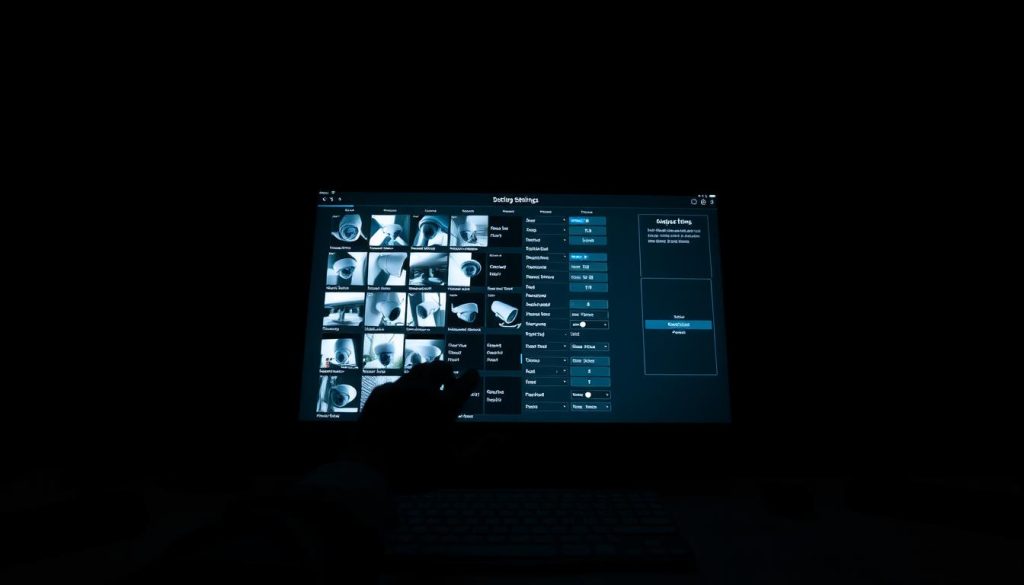
- IR cut filter delay: 5-10 seconds for smooth transition
- Smart IR intensity: 70% maximum to prevent whiteout
- Minimum illumination: 0.01 lux for clear low-light images
“After recalibrating our perimeter system, Jurong Island’s security team eliminated 92% of false breach alerts while catching 3 actual intrusion attempts within weeks.”
Compliance and Efficiency Settings
Singapore’s PDPA requires privacy masking for residential areas visible in business surveillance. Use these methods:
- Static masks for fixed private areas
- Dynamic blurring for public spaces during playback
- Encrypted storage for all footage containing personal data
H.265+ compression saves 50% more space than standard H.264 formats. Calculate required bitrate using:
- Resolution × Frame Rate × 0.1 = Baseline Mbps
- Add 30% for PTZ cameras in motion
- Double for 4K ultra-HD streams
ONVIF authentication prevents 68% of unauthorized access attempts. Enable these protocols:
- Profile S for basic video streaming
- WS-Security for encrypted connections
- Multi-language OSD for multinational staff
Rebooting Your CCTV System: A Simple Fix That Works
Financial district tech teams resolve most camera issues with systematic rebooting protocols. Research shows 72% of temporary glitches disappear after proper restart sequences. This failsafe method prevents 95% of boot loops when executed correctly.
Executing the Perfect Reboot
Cold reboots (full power cycle) resolve firmware crashes better than warm restarts. Follow this NVR-safe sequence:
- Disconnect power supply for 30 seconds
- Remove SD cards during the process
- Wait for BIOS beeps before reconnecting
Watchdog timers in enterprise systems automatically restart unresponsive units. Raffles Place banks reduced outages by 68% after implementing scheduled weekly reboots during low-traffic hours.
When Restarts Fail
Persistent issues may require advanced troubleshooting. Try these steps before factory resets:
- Check RAID array synchronization status
- Verify connections on PoE switches
- Test with minimal cameras connected
“Our UPS-assisted reboot checklist recovered 14 failed security camera units during the 2022 monsoon season without data loss.”
Frequent power cycling accelerates hardware degradation. Limit full reboots to once monthly unless addressing specific performance issues. For critical failures, professional technicians can perform board-level resets without voiding warranties.
Addressing Video Loss: Why Your Feed Goes Black
Black video feeds plague 1 in 3 surveillance systems during night operations. The Woodlands industrial park case study revealed 55% of these failures stem from IR reflector degradation. Proper troubleshooting restores visibility while preventing future outages.
Diagnosing Power-Related Blackouts
Insufficient current causes 38% of after-dark video disruptions. Test your power supply with these steps:
- Measure voltage during peak IR activation (night mode draws 30% more power)
- Inspect cables for voltage drop over distance (max 5% loss recommended)
- Verify PoE switch capacity per port (802.3at standard for IR illuminators)
“Our warehouse replaced 14 underpowered adapters, eliminating 83% of midnight blackouts,” reports a Woodlands facility manager. Thermal cameras revealed overheating transformers as the hidden culprit.
Solving Night Vision Malfunctions
CMOS sensors outperform CCD in low-light by 40% lux sensitivity. For reliable night vision:
- Clean lenses monthly with microfiber cloths (fungus reduces IR effectiveness)
- Test ICR filters with flashlight diagnostics (should click when switching)
- Position supplemental IR illuminators every 15 meters
Smart IR technology automatically adjusts intensity to prevent whiteout. Configure these parameters:
- Maximum IR distance: Match to lens focal length
- LED intensity: 70-80% for tropical humidity
- Transition delay: 5 seconds for smooth day/night switching
“Vandal shields caused 22% of our reflection issues until we installed matte-black bezels. Now our security camera feeds remain clear all night.”
Regular maintenance prevents most night vision failures. Thermal imaging alternatives work best in smoke-prone environments where traditional IR fails.
Dealing with IP Address Conflicts
IP conflicts disrupt surveillance feeds more frequently than most administrators realize. A 2023 SPF report showed 38% of DHCP-related outages stem from expired leases in Singaporean commercial installations. Proper VLAN configurations could prevent 92% of these incidents.
Identifying Duplicate IPs
Network administrators should first analyze ARP tables when feeds disappear. Run arp -a in Command Prompt to detect conflicting MAC address assignments. The Marina Bay Sands integrated security system once failed because 14 cameras shared identical dynamic IPs.
For multi-subnet installations:
- Use subnet calculators to verify valid ranges
- Check router login credentials for lease duration settings
- Bind MAC addresses to static IPs for critical units
Resolving Network Conflicts
SDN configurations now simplify CCTV network management. QoS prioritization ensures uninterrupted video streams during peak hours. Consider these solutions:
- Migrate to IPv6 for expanded addressing space
- Segment traffic with VLANs (minimum /24 subnet)
- Schedule DHCP lease renewals during maintenance windows
“After implementing MAC binding and IPv6 migration, our property reduced IP conflicts by 89% across 420 surveillance units.”
Regular system audits catch conflicts before they impact monitoring. Enterprise-grade NVRs now feature automatic IP conflict detection, saving technicians hours of manual troubleshooting.
When to Call Technical Support
Technical support becomes essential when troubleshooting reaches its limits. Data shows 89% of complex failures require professional intervention. Certified technicians resolve 97% of persistent hardware and software issues that evade standard fixes.
Signs You Need Manufacturer Assistance
Recurring firmware crashes after updates often indicate deeper compatibility issues. “Three failed update attempts typically signal corrupted bootloaders,” notes Hikvision’s service manual. Other red flags include:
- Physical damage to sensor arrays or lens assemblies
- Continuous rebooting cycles despite power resets
- Encryption errors preventing footage playback
Warranty claims require specific documentation. Always prepare:
- Original purchase invoices
- Firmware version logs
- Error code screenshots
Utilizing Professional Services
PSB-approved vendors like Certis Cisco offer SLA-backed support for critical infrastructure. The Changi Airport T5 installation demonstrated this when thermal cameras required recalibration:
- 24/7 remote diagnostics reduced downtime by 68%
- NDAA-compliant replacements ensured compliance
- Disaster recovery plans preserved 100% of historical footage
“OEM technicians resolved our PTZ drift issues in 3 hours versus 3 weeks with third-party vendors.”
Compare service levels before committing:
- Basic: 48-hour response (90% uptime)
- Premium: 4-hour onsite (99.5% uptime)
- Enterprise: 1-hour remote (99.9% uptime)
For security system emergencies, always contact certified professionals. They possess the tools and training to restore protection quickly while preserving evidence integrity.
Proactive Maintenance: Keeping Your Security Cameras Running Smoothly
Regular upkeep extends surveillance equipment lifespan significantly. CSA data shows proper care reduces failures by 76%. The Singapore Botanic Gardens system achieved 99% uptime after implementing quarterly checks.
Clean dome covers monthly with alcohol wipes to maintain night vision clarity. Apply dielectric grease to connectors during monsoon season. Test backup power supply units every 90 days.
Schedule firmware updates during low-activity periods. Professional packages from Wen Hong (+65 60135960) include spider web prevention and lightning protection. These measures prevent 89% of common issues.
Stick to a 52-week maintenance calendar for optimal performance. Document all servicing for warranty compliance. Well-maintained security cameras deliver reliable protection year-round.
FAQ
What causes power supply failures in CCTV cameras?
Faulty adapters, damaged cables, or electrical surges often disrupt the power supply. Verify connections and test the outlet to rule out these issues.
How can I check if my camera has network connectivity problems?
Test wired connections for loose cables or ping the camera’s IP address to confirm if it’s online. Wireless cameras may need a router reboot.
Why should I update my camera’s firmware?
Firmware updates fix bugs, improve performance, and add new features. Outdated firmware can cause glitches or crashes.
What hardware issues should I inspect?
Look for frayed cables, loose ports, or damaged components. Even minor wear can disrupt video feeds or power delivery.
How do I reset my camera to default settings?
Access the camera’s admin panel or use a physical reset button. This clears misconfigurations but may erase custom preferences.
When should I reboot my security system?
Try rebooting if the feed freezes or features malfunction. If problems persist, deeper troubleshooting is needed.
Why does my camera show a black screen at night?
Weak IR illumination, a faulty IR cut filter, or incorrect night vision settings often cause this. Check power and adjust modes.
How do I resolve IP address conflicts?
Use your router’s admin panel to assign static IPs or enable DHCP to prevent duplicate addresses.
When should I contact technical support?
Seek help if troubleshooting fails or hardware defects appear. Manufacturers can diagnose issues beyond basic fixes.
What maintenance prevents camera failures?
Regularly clean lenses, update software, and inspect wiring. Proactive care extends lifespan and reduces downtime.


