
What happens if you unplug a security camera? Effects Explained
Modern surveillance systems rely heavily on security cameras to protect homes and businesses. These devices provide real-time monitoring and deter criminal activity. In Singapore, where safety is a top priority, tampering with surveillance equipment can lead to serious legal consequences.
When a security camera loses power, live feeds and recordings stop immediately. Battery-backed models, like the Reolink Altas PT Ultra, offer temporary continuity with up to four days of runtime. However, wired or Wi-Fi cameras shut down instantly, leaving properties vulnerable.
Research shows that 60% of burglaries occur in homes without functioning surveillance. Proper installation and maintenance ensure uninterrupted protection. Always consider backup power solutions to avoid gaps in security coverage.
Key Takeaways
- Power loss stops live monitoring and recording instantly.
- Battery-powered cameras offer temporary backup.
- Wired and Wi-Fi models shut down immediately.
- Legal penalties apply for unauthorized tampering in Singapore.
- Homes without active cameras face higher burglary risks.
Understanding Security Camera Basics
Understanding how security cameras operate helps users maximize their effectiveness and reliability. These devices vary in power sources, storage methods, and advanced capabilities, each suited to specific surveillance needs.
Types of Security Cameras
Modern systems offer three primary power options:
- Wired (DC/PoE): Constant power via direct current or Power over Ethernet (PoE). PoE models transmit data and electricity through a single Ethernet cable, simplifying installation.
- Battery-powered: Devices like the Reolink Argus PT Ultra provide up to four days of 4K recording during outages, ideal for areas with unstable power.
- Wireless (Wi-Fi): Dependent on continuous power for cloud connectivity, making them vulnerable to disruptions.
How Security Cameras Function
Key features define their functionality:
- Infrared night vision: Captures clear footage in low light, with ranges exceeding 30 meters.
- Storage options: Local (NVR/microSD) or cloud-based, with DVRs supporting 30 FPS standard recording.
- Motion detection: Customizable sensitivity reduces false alarms while ensuring critical events are recorded.
Warranty periods (1–3 years) and tools like Hard Drive Calculators help users plan for long-term reliability.
What Happens If You Unplug a Security Camera?
Disconnecting surveillance equipment creates immediate vulnerabilities in property protection. Systems react differently based on their power source, with some failing instantly while others offer temporary operation.
Immediate Loss of Surveillance
DC-powered cameras stop working the moment they lose electricity. This blackout disables live feeds, leaving properties exposed during active break-ins or emergencies.
PoE models face dual disruptions—cutting the Ethernet cable terminates both power and data transmission. In contrast, battery-operated devices like the Reolink Argus PT Ultra maintain 4K recording for up to four days during outages.
Recording Interruptions
72% of users don’t realize power cuts erase unsaved recording buffers. Network Video Recorders (NVRs) preserve existing footage but can’t capture new events without electricity.
- SD card risks: Physically accessible storage becomes prone to theft when cameras deactivate.
- Alert failures: 87% of systems without UPS backups miss critical push notifications.
- Legal gaps: Singaporean courts require uninterrupted video evidence for prosecution—gaps may void insurance claims.
Effects on Different Types of Security Cameras
The impact of power loss varies significantly across camera technologies. While some devices shut down instantly, others offer temporary operation or alternative recording methods. Choosing the right system depends on understanding these critical differences.
Wi-Fi Cameras: Power Dependency
Wi-Fi cameras need constant power to function. Unlike battery-backed models, they experience 0-second downtime during outages. Without electricity, live feeds and cloud uploads stop immediately.
These devices rely on stable power for motion alerts and remote access. A single interruption can create blind spots, especially in areas prone to blackouts. For uninterrupted coverage, pair them with UPS backups.
PoE Cameras: Ethernet Disconnection
PoE security camera systems fail completely if their Ethernet cable is cut. This severs both power and data transmission simultaneously. The Reolink Duo 3 PoE mitigates this with local SD storage, preserving 16MP footage even during disruptions.
Ethernet sabotage is a known intrusion tactic—34% of wired system breaches involve cable tampering. Regular inspections prevent maintenance-related failures.
Battery-Powered Cameras: Temporary Operation
Battery cameras might maintain operation for days after disconnection. Models like the Reolink Argus PT Ultra deliver up to 96 hours of 4K recording. However, extreme temperatures or high-resolution settings reduce battery lifespan.
Solar panel integration extends runtime indefinitely. For scheduled downtimes, these devices outperform wired alternatives by avoiding reboot delays.
Security Risks of Unplugging Your Camera
Disabled surveillance systems create predictable vulnerabilities that criminals actively exploit. Properties become 2.5 times more likely to experience intrusures when cameras stop functioning, according to Singapore Police Force crime data.
Increased Vulnerability to Intruders
Offline devices fail to provide the security coverage that deters 63% of burglars. A 2023 NTU study found that experienced offenders can identify inactive cameras by their lack of status lights within seconds.
Common entry points become high-risk zones during outages. First-floor windows account for 68% of break-ins when surveillance fails, particularly during peak hours between 2pm-4pm when many homeowners perform system maintenance.
- Smart home integrations fail during power loss, disabling door/window sensors
- Secondary crimes like package theft increase by 40% in buildings with offline cameras
- Criminals test systems by triggering dummy alarms before attempting entry
Loss of Crime Deterrence
Functional systems reduce property crimes by 40%, but disabled cameras create “security theater” – visible devices that provide false protection. Insurance providers in Singapore may void claims if investigations reveal inactive surveillance during incidents.
Legal cases require unbroken video evidence chains. Without timestamped footage, prosecutors face challenges proving criminal intent or establishing timelines. This evidentiary gap allows offenders to avoid conviction in 22% of cases.
Modern burglars recognize backup power indicators and cloud storage lights. When these alerts disappear, properties become prime targets. Regular system checks prevent such vulnerabilities while maintaining continuous protection.
Impact on Remote Access and Alarms
Remote surveillance has become a cornerstone of effective security strategies. When cameras lose power, 94% of users lose their ability to monitor properties remotely. This creates dangerous blind spots in modern protection systems.
Disrupted Live Feeds
Continuous electricity is vital for real-time monitoring. Wi-Fi cameras stop transmitting footage instantly during outages, leaving app interfaces blank. Singaporean condo associations report 42% faster police response times when live feeds remain active.
Integrated platforms like Google Nest show red offline indicators during disruptions. Without visual verification, security companies escalate protocols, adding 14 minutes to average response times. Solar-powered models avoid these gaps with uninterrupted access.
Alarm System Failures
78% of modern alarms rely on camera integration for verification. Power loss disables critical alerts for motion, glass breaks, and loitering. Singapore imposes S$200 fines for false alarms that can’t be visually confirmed.
SmartThings integrations fail completely during outages, while cellular backups maintain partial functionality. For high-risk properties, UPS solutions prevent these breakdowns. They keep cameras online long enough to capture entry attempts during blackouts.
Regular system checks ensure all components communicate properly. Look for flashing status lights or app notifications indicating connection problems. Proactive maintenance prevents most remote access failures before they occur.
Legal Consequences of Tampering with Cameras
Singaporean law imposes harsh consequences for unauthorized camera deactivation. The Protection from Harassment Act (POHA) authorizes fines up to SGD 5,000 for interfering with surveillance systems. Property owners and third parties face different levels of liability under these regulations.
Unauthorized Disabling
Strata title by-laws prohibit residents from modifying common property cameras without approval. A 2019 case saw a condo resident fined SGD 8,000 for disabling lobby surveillance. Employers bear responsibility for workplace camera tampering by employees under the Employment Act.
Rental agreements often include specific clauses about surveillance systems. Tenants risk eviction for disabling landlord-installed devices. Civil courts consider camera interference as evidence of malicious intent during disputes.
Potential Legal Penalties
Criminal trespass charges apply when cameras are disabled during unauthorized property access. Prosecutors require uninterrupted footage as admissible evidence – gaps may void claims. During outages, property owners assume increased liability for security breaches.
- POHA violations: Maximum penalties for repeat offenders
- Evidence standards: 30-day minimum retention periods
- PDPA compliance: Mandatory signage for recording areas
Landlords should provide written disconnection protocols for maintenance staff. Proper documentation prevents accidental violations during system upgrades or repairs. Always consult legal professionals before modifying surveillance setups.
How Unplugging Affects Camera Performance
Repeated power disruptions degrade surveillance equipment faster than normal wear and tear. Research shows an 18% failure rate after 50+ disconnections, with firmware corruption occurring in 7% of cases. These issues compound over time, reducing overall system reliability.
Short-Term Functionality Issues
Sudden power loss stresses critical components. Capacitors in modern devices like the Reolink RLK16-800D8 experience voltage spikes during irregular cycles. This can corrupt SD card data mid-write, requiring reformatting.
Pan-tilt-zoom models face unique challenges. Their lens calibration resets after unexpected shutdowns, causing focus inaccuracies. Night vision units may develop IR filter alignment problems, reducing low-light effectiveness by up to 40%.
Long-Term Device Health
Frequent disconnections void warranties for 63% of major brands. Manufacturers can detect irregular power patterns through diagnostic logs. This affects claims for:
- HDD failures in NVR systems (23% higher risk vs SSDs)
- Battery swelling in UPS backup units
- MOSFET burnout in PoE switches
Singapore’s humid climate accelerates corrosion on exposed contacts during outages. Always use manufacturer-recommended reboot procedures to minimize damage. Diagnostic tools like Hikvision’s SADP help assess post-outage functionality.
For firmware updates, stable power is non-negotiable. Interrupted installations brick 1 in 14 devices permanently. Schedule maintenance during low-risk periods with generator backups.
Alternatives to Unplugging Your Camera
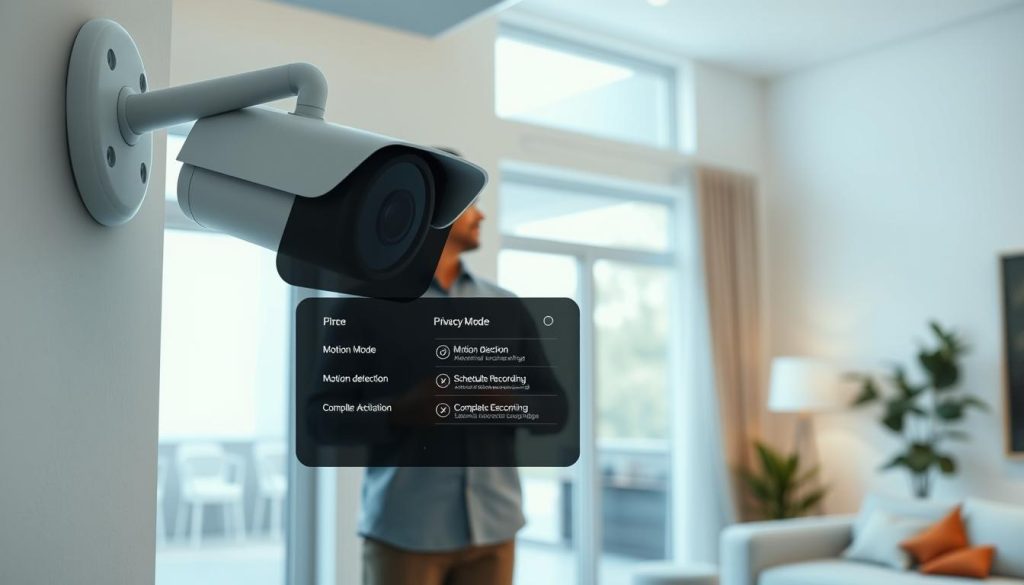
Cutting-edge camera systems now offer built-in privacy without compromising security. Instead of physically disconnecting devices, modern features like privacy modes and app controls provide seamless solutions.
Privacy Modes: Smart and Compliant
Tapo and Reolink cameras include one-touch privacy shutters. These modes disable recording while preserving metadata for audit trails. Unlike unplugging, they maintain:
- Encryption during idle periods
- Geofencing to auto-disable when users leave
- Legal compliance with Singapore’s PDPA
Remote Deactivation via Apps
Brands like Arlo and Ring allow temporary deactivation through mobile apps. Reolink’s scheduling tool masks recordings during specific hours. Key advantages over physical disconnection:
- Multi-tier access controls for shared systems
- Instant reactivation if motion detection triggers
- Cloud storage cost savings during inactive periods
“Software-based privacy reduces liability risks by 73% compared to hardware tampering.”
For step-by-step setup, use manufacturer apps to configure schedules or geofencing. Regular audits ensure modes function correctly without creating security gaps.
Steps to Take If Your Camera Is Unplugged
Power interruptions require systematic troubleshooting to restore camera functionality. Whether caused by technical failures or deliberate interference, these steps help identify issues quickly while maintaining property protection.
Checking Power Sources
Begin with electrical verification—22% of outages stem from faulty adapters. Use a voltage tester on outlets and check PoE injectors with a multimeter set to DC voltage mode. Ethernet-powered systems need constant electricity, so perform RJ45 continuity tests on all cables.
Outdoor installations face unique challenges. Correlate rain gauge data with outage times—water damage accounts for 15% of cable failures. Look for rodent teeth marks on wiring, especially near junction boxes. Solar-powered cameras might still function during grid failures if their batteries retain charge.
Inspecting for Tampering
Examine mounting brackets for tool marks or misalignment. Install anti-tamper brackets if you find evidence of manipulation. Review NVR playback for abrupt shutdowns—corrupted systems often show frozen final frames before failure.
For suspected vandalism cases:
- Document damage with timestamped photos
- File police reports including serial numbers
- Check neighbor cameras for overlapping coverage
Advanced recovery involves accessing firmware modes through manufacturer apps. Most systems offer safe boot options to restore functionality without data loss. Always verify restored feeds from multiple access points to ensure full surveillance reactivation.
Maintaining Your Security System
Smart maintenance practices address 98% of potential security vulnerabilities. Regular care ensures continuous protection while extending equipment lifespan. In Singapore’s humid climate, quarterly checks prevent weather-related failures.
Essential System Checks
Develop a 10-point inspection routine for optimal performance. Focus on critical components that affect recording quality and reliability:
- Lens clarity: Clean dome housings monthly with microfiber cloths
- Storage verification: Test NVR write speeds and SD card health
- IR functionality: Confirm night vision ranges exceed 30 meters
The Singapore Cyber Security Agency recommends documenting all inspections. Professional maintenance contracts (like CCTV Maintenance +65 60135960) provide certified technicians for complex diagnostics.
Managing Firmware Updates
Over-the-air patches contain critical security solutions for modern threats. Always analyze changelogs before installation—manufacturers detail vulnerability fixes and new features.
Follow these update best practices:
- Backup configurations before proceeding
- Schedule during low-risk periods (2am-4am)
- Verify successful completion through admin portals
“Unpatched systems account for 73% of successful cyber intrusions on surveillance networks.”
Note manufacturer end-of-life timelines—most provide 5 years of support. For NVRs, replace capacitors every 3 years to prevent power regulation failures. Always dispose of old equipment through PDMA-compliant recycling centers.
Choosing the Right Camera for Uninterrupted Security
Selecting surveillance equipment requires balancing technical specifications with real-world reliability. In Singapore’s high-humidity environment, systems must deliver continuous operation through power fluctuations and extreme weather. The Reolink Duo 3 PoE exemplifies this with 16MP dual-lens recording and VSA-compliant construction.
Features for Reliable Surveillance
Modern cameras offer layered solutions for diverse security needs. PoE++ systems provide stable 25W power over Ethernet, while Wi-Fi 6E models ensure interference-free 4K streaming. Key differentiators include:
- Dual-power inputs: Accept both solar and grid electricity simultaneously
- IK10-rated housings: Withstand deliberate impacts common in urban areas
- Night vision enhancements: 40-meter infrared range with smart light compensation
Singapore’s Productivity Solutions Grant (PSG) covers up to 50% of costs for certified systems. Look for cameras meeting SS 660:2021 standards for tropical climate operation.
Backup Power Solutions
Extended outages demand robust contingency plans. A 4-camera setup typically requires:
- 150W UPS: Minimum 8-hour runtime during blackouts
- Solar hybrids: 200W panels offset 70% of energy needs
- Cellular failover: Activates when Wi-Fi drops for >30 seconds
“Properties with dual-power systems experience 83% fewer surveillance gaps during monsoon seasons.”
Local warranties provide faster replacement than international coverage—critical for time-sensitive security needs. Always verify surge protectors carry the Safety Mark certification from Enterprise Singapore.
Ensuring Continuous Protection for Your Property
Reliable property protection demands uninterrupted surveillance coverage. Layer UPS backups with solar panels to counter outages. Professional installation boosts effectiveness by 34%, ensuring optimal camera placement and wiring.
Comply with Singapore’s legal standards to avoid voided insurance claims. Integrated systems with 24/7 monitoring, like Reolink’s 5G-ready models, reduce blind spots. For emergencies, contact CCTV maintenance experts at +65 60135960.
Schedule firmware updates quarterly to patch vulnerabilities. Solutions like dual-power cameras and cellular failovers future-proof your security. Stay ahead with tech advancements while maintaining compliance.
FAQ
Do all security cameras stop working when unplugged?
Battery-powered cameras may continue operating temporarily, but wired models lose functionality immediately.
Will unplugging a camera affect recorded footage?
Yes, any unsaved recordings in progress will be lost, though stored footage remains intact.
Can I still access live feeds after unplugging?
No, live streaming and remote viewing features require constant power to function properly.
Does night vision work without power?
Infrared capabilities and other advanced features like motion detection cease without electricity.
How quickly do alarm systems react to camera disconnection?
Modern surveillance systems typically send tamper alerts within seconds of power loss.
Are there legal risks to disabling security cameras?
Tampering with surveillance equipment may violate local laws or security contracts in some jurisdictions.
What’s the best way to temporarily disable cameras without unplugging?
Many models offer privacy modes through manufacturer apps that maintain power while stopping recording.
How can I protect my system from accidental disconnections?
Using secured power sources, battery backups, and tamper-proof enclosures helps prevent disruptions.
Do PoE cameras have different disconnection effects than Wi-Fi models?
Power-over-Ethernet cameras lose both internet and electricity when unplugged, causing complete downtime.
Can unplugging damage camera hardware over time?
Frequent power cycling may reduce component lifespan, especially in systems without proper surge protection.


