
Check CCTV Status on Phone: Is Yours Working?
In today’s world, security is a top priority. But how sure are you that your CCTV system is working right? Many people forget to check their CCTV status on their phones. This can lead to security worries and less peace of mind.
With more people using remote monitoring, it’s key to make sure your system works well. This is even more important in busy places like Singapore. This article will show you how to check CCTV on phone and help you improve your security. For more information, contact Wen Hong at +65 60135960.
Key Takeaways
- Regularly check CCTV status to ensure functionality and security.
- Use mobile apps for seamless remote monitoring and access.
- Infrared IP cameras have status indicators for operational checks.
- Power and connectivity issues account for a significant percentage of CCTV problems.
- Ensure multiple cameras have unique IP addresses to prevent conflicts.
- Monthly system checks can enhance the reliability of your CCTV.
Understanding CCTV Connectivity
CCTV connectivity is key for remote access and monitoring. People look for top-notch CCTV systems in Singapore. These systems work well with smartphones for better security. You can choose from Wi-Fi, Ethernet, or cloud-based options.
Today’s systems let you watch live feeds anytime, anywhere. This means you can check on your property even when you’re not there. It’s great for work, vacations, or just being away from home.
Push notifications make things easier. You get alerts for any unusual activity. This helps you act fast. High-quality displays, like on the HONOR Magic V2, make it easier to see important footage.
Cloud services are also popular. They let you store and access footage easily. But, sometimes, connectivity issues can pop up.
- Network Connectivity: Bad Wi-Fi or mobile data can mess up video streaming.
- App Compatibility: Make sure your apps and camera firmware match.
- Incorrect Login Credentials: Use the right login details for a good connection.
- Device Compatibility: Not all phones work with all cameras, so check compatibility.
- Multiple Users Access: Some systems only let a few users in at once, which can be a problem.
Most security cameras work with smartphones, but not all. Always talk to a security provider for the best setup. This way, you get peace of mind. The world of CCTV systems is always changing, bringing better, easier ways to keep things safe.
If you’re thinking about improving your security, call Wen Hong at +65 60135960. They can help you find the latest CCTV solutions and deals.
Importance of Remote CCTV Monitoring
In today’s fast world, remote CCTV monitoring is key for security. It helps both homes and businesses. Modern security cameras offer more than just watching.
Remote CCTV monitoring sends alerts to emergency services fast. This quick action can lessen damage or loss during emergencies. Security experts can adjust cameras to get the best shots of unusual activity.
Businesses can set up monitoring to fit their needs. They can choose 24/7 or after-hours watch. This saves money by not needing on-site guards. It can cut security costs by over 60%.
Staff at monitoring stations are well-trained to meet SIA standards. They use audio warnings to scare off intruders. This makes places safer. Adding alarm services to CCTV gives the best protection with fast responses and constant watch.
New CCTV and video tech is changing security for businesses. Cloud video solutions make it easy to manage footage. AI in the latest systems can spot people or cars, giving security teams better insights.
If you want to secure your place, call Wen Hong at +65 60135960. Find out about the latest CCTV solutions and offers made just for you.
How do I know if my CCTV is working on my phone?
Checking if your CCTV system works on your phone is easy if you know what to do. Many modern security cameras let you view them on your smartphone. It’s important to know how to check if your CCTV is working on your phone for good surveillance.
Check Your Smartphone CCTV Viewing Apps
The first thing to do is check your smartphone CCTV viewing apps. Make sure you have the right app for your camera system. Most cameras have apps for iOS and Android, making it easy to connect your camera. If you have the app, make sure it’s updated to avoid problems.
- Open your app and log in.
- Navigate to the camera section to see if your device appears.
- Confirm that your settings are configured correctly for optimal functionality.
Assess Live Feed Accessibility
Live feed accessibility is key to knowing if your CCTV system works. Start by checking your internet connection. A weak Wi-Fi signal can stop your camera from working right. Look at these points:
| Potential Issues | Solutions |
|---|---|
| Poor Wi-Fi Signal | Relocate the router or camera for a stronger signal. |
| Outdated App | Update the app to the latest version available. |
| Configuration Errors | Review settings to ensure everything is set up correctly. |
| Network Congestion | Disconnect or turn off unused devices on the network. |
By checking these things, you can figure out if your CCTV works on your phone. If you need help with your CCTV or want to see new models and deals, call Wen Hong at +65 60135960 today.
Setting Up Your CCTV Mobile App
Setting up your CCTV mobile app can make monitoring your security easier. Follow this simple guide for a smooth setup.
First, download the app from the App Store or Google Play Store. Each CCTV brand has its own app, so it will work with their systems. After downloading, just follow the steps on your device to install it.
After installing, you need to set up your app. Make sure your phone is connected to the same Wi-Fi as your CCTV system. This makes it easy to watch live feeds on your phone.
It’s important to give the app the right permissions. Allow it to send notifications, use your camera, and save videos. These settings help you get alerts and watch recorded videos. Also, make sure to adjust your privacy settings to keep your security high.
After setting everything up, test it to make sure it works well. Check that you can watch live feeds, get alerts, and use all the app’s features. If you run into problems, just go back to the setup or check your Wi-Fi connection.
Need help improving your CCTV system? Contact Wen Hong today at +65 60135960. They can tell you about the latest CCTV solutions and offers.
Common CCTV Connectivity Issues
Many users face problems when trying to access their CCTV systems on smartphones. These issues can come from internet problems, old software, or network hardware issues. Knowing these common problems is key to fixing them.
Troubleshooting Network Problems
Fixing connectivity issues needs a clear plan. Here are some steps to help:
- Check Wi-Fi strength: Make sure your Wi-Fi signal is strong and steady. Weak signals can cause feed interruptions.
- Reboot devices: Restart your CCTV camera and router. This refreshes the network connections and settings.
- Inspect router settings: Check your router’s settings, like firewall settings. Make sure CCTV communication ports are open.
- Update software: Keep your CCTV system and mobile app up to date. This can fix compatibility problems.
- Verify login credentials: Check your username and password. Wrong login info can block access.
By following these steps, you can better handle CCTV connectivity issues. This makes remote monitoring more reliable. If you’re stuck or need help, call Wen Hong at +65 60135960. They offer the latest CCTV solutions and deals.
CCTV Troubleshooting Guide
Having trouble with your CCTV system can be really frustrating. A good CCTV troubleshooting guide can help you find and fix problems. First, check if your CCTV camera and smartphone are connected to a stable network. Make sure your internet is working well and that all devices are turned on and set up right.
Many times, security camera issues come from wrong settings. Check the settings on both the camera and the app to make sure they match. Also, keep your app updated to avoid problems.
Rebooting your security camera is a simple but effective fix. If problems keep happening, try turning off any security software or firewalls that might be blocking the connection.
- Make sure your smartphone and CCTV camera work well together.
- Use the right login details to connect.
- Update your camera’s firmware to avoid problems.
- Check the wiring and use the right cables for your cameras.
- Look for unique IP addresses to avoid conflicts.
If you’re having trouble, getting professional help might be the best option. Many companies offer free tech support for security camera issues. Regular maintenance and checks can also help avoid bigger problems later.
Using high-quality security cameras, like those from Reolink, can also help. These cameras often work well with smartphones, allowing you to monitor and access them from anywhere.
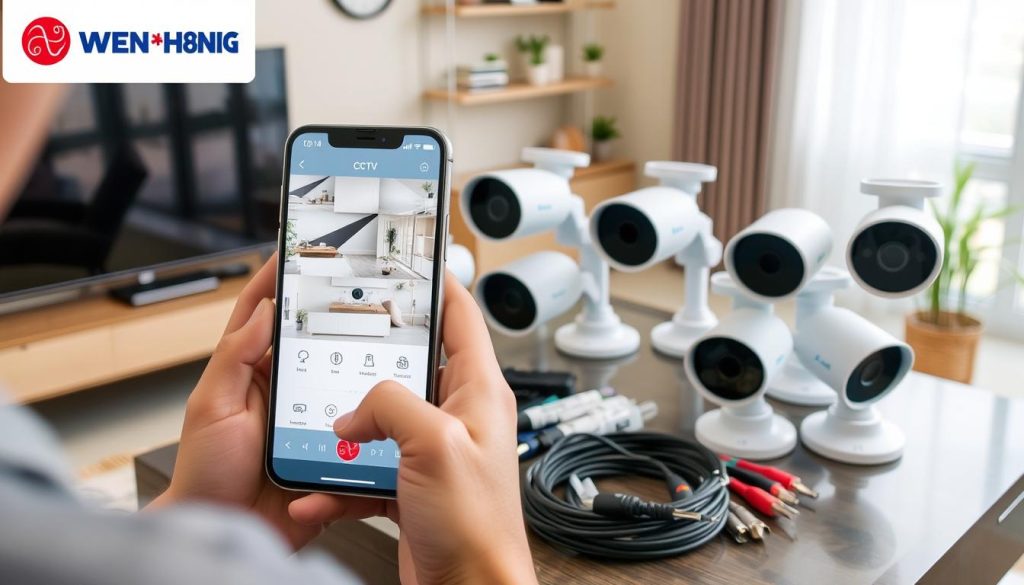
Don’t wait to call Wen Hong today at +65 60135960. Learn more about the latest CCTV solutions and special offers made just for you.
How to Monitor Your CCTV Live Feed on Phone
It’s key to access your CCTV live feed on your phone for good security management. It lets you watch your place in real-time, helping you act fast when there’s a security issue. This guide will show you how to watch CCTV on your phone and fix common problems.
Step-by-Step Guide to Checking the Live Feed
To check your CCTV live feed on your phone, just follow these steps:
- Make sure your CCTV system works with mobile access. Check if your phone can use the needed app.
- Get the right CCTV mobile app, like Wisenet SmartCam+, Reolink, or Amcrest View Pro, from the app store.
- Log in to the app with your details. Make sure you have the right login info to avoid connection issues.
- Pick your CCTV camera in the app to start the live feed. Look for “Live View” or something like it.
- Set up your notifications and alerts. Make sure the app tells you about any motion or intrusions.
By following these steps, watching CCTV is easy. It’s a great way to boost security from anywhere.
What to Do if Live Feed is Unavailable
If you can’t see the live feed, try these troubleshooting steps:
- Check your network. Make sure your phone has a strong WiFi or mobile data connection.
- Check if your camera is working. A power outage or disconnection might need a physical check.
- Update your app. An old version might cause problems, so download the latest one.
- Look at your firewall settings. Your phone’s security might block needed connections; try turning it off temporarily.
- Check your camera’s manual for specific troubleshooting tips.
For more help and info on CCTV, contact Wen Hong today at +65. Learn about the latest offers and solutions.
| Issue | Possible Cause | Solution |
|---|---|---|
| No Live Feed | Camera Offline | Check power and connection |
| Connection Issues | Weak WiFi Signal | Move closer to the router |
| App Crash | Outdated Software | Update the app |
| Blocked Access | Firewall Settings | Adjust security settings |
By following these tips, you’ll have a better experience with CCTV monitoring. It makes security management easier and more accessible.
Recognizing CCTV Camera Status Indicators
It’s key to know how CCTV camera status indicators work for good surveillance. These signs show if cameras are working right, helping us keep an eye on them. They tell us if the system is doing its job.
These indicators use colored LEDs to show info. A red light means the camera is in night vision mode. This lets it see in the dark. On the other hand, a green light shows it’s on and recording. Blue lights often mean it’s recording or active.
Today’s IP cameras can be watched on phones, making it easy to see if they’re working. Using these apps helps us quickly spot problems. If a camera isn’t working, it might be because of bad wiring or power issues. We can fix this by checking the connections and power.
Here’s a quick guide to CCTV camera status indicators:
| Indicator Color | Meaning |
|---|---|
| Red | Night vision activated |
| Green | Camera powered and recording |
| Blue | Active recording in progress |
| Blinking | Camera is in standby or undergoing diagnostics |
Knowing these CCTV camera status indicators helps us keep our places safe. If you want better surveillance, call Wen Hong at +65 60135960. He can help you find the best CCTV solutions for your needs.
CCTV Remote Access Setup
Setting up a CCTV remote access system makes security and convenience better. Users can watch their places in real-time on different devices. This helps them respond quickly to any security issues.
Using IP cameras for remote access is very popular. It lets people watch CCTV feeds from anywhere with internet. This is a great way to keep an eye on things from afar.
P2P technology is a key tool for this setup. It makes accessing CCTV cameras online easy. For example, the Reolink RLC-810A can be set up for remote access quickly. It only takes less than two minutes.
The Reolink Altas PT Ultra is a top choice for advanced features. It offers 4K recording and ColorX night vision. These features make it perfect for modern security needs.
DDNS services are a big plus for remote access. They give CCTV systems easy-to-remember host names. This makes accessing them online simpler. Using different port numbers for each camera also helps keep viewing secure.
For places with no stable internet, 4G security cameras are a good option. They keep monitoring going even without a strong internet connection. Users can watch their feeds on apps like Blue Iris and VLC Media Player.
It’s important to check your system regularly. Make sure your network is working right and your software is up to date. Also, check your firewall settings to avoid any viewing problems.
Watching CCTV cameras on smartphones keeps users alert. This lets them respond fast to any alerts. Push notifications for things like motion detection help users act quickly.
Mobile apps make it easy to monitor CCTV cameras. High-resolution screens, like the HONOR Magic V2, show footage clearly. This helps users identify and analyze situations better.
To learn more about CCTV solutions and offers, contact Wen Hong at +65 60135960.
Detecting CCTV Camera Not Showing on Mobile
It’s important to check if your CCTV camera works on your mobile. When it doesn’t, it can cause worry about safety. Spotting problems early helps fix camera issues.
Signs of Camera Malfunction
There are signs that your CCTV camera might not be working right. Catching these early helps solve problems faster. Watch for:
- Black screens when trying to see the camera feed
- Error messages on your mobile app
- Connection issues that make the feed cut out
Things like weak Wi-Fi, electronic interference, or too many devices on the network can also cause problems. For example, too many devices on your Wi-Fi can make it slow. Check your Wi-Fi setup often to spot issues.
If you keep having trouble, it might be because your router is outdated or set up wrong. Fixing these can help a lot. Make sure your network is clear by removing unused devices and moving CCTV cameras closer to the router.
If you’re stuck, get help from experts at CCTV Maintenance. They can help you fix your remote monitoring issues. Quick action can stop small problems from getting bigger.
Importance of Regular System Checks
Keeping your CCTV system in top shape is key for security and peace of mind. Regular checks are vital to ensure your CCTV works right. Skipping these checks can lead to unexpected failures or missing surveillance spots.
How CheckMyCCTV™ Can Enhance Security
CheckMyCCTV™ is a big help in keeping your security systems safe. It automates checks, keeping an eye on your system’s performance and connection. With CheckMyCCTV™, you get alerts on any issues early, so you can fix them before they get worse.
Regular system checks offer many benefits:
- Increased peace of mind: A working CCTV system makes you feel safer at home or work.
- Crime deterrence: A well-kept CCTV system can scare off criminals, protecting your place.
- Evidence collection: Good footage is key for solving crimes, helping catch the bad guys.
- Remote monitoring: Modern CCTV lets you watch your property from anywhere, making life easier.
- Maintenance and upkeep: Regular checks keep your system running smoothly and efficiently.
- Legal and ethical considerations: Following local laws on surveillance is important, and regular checks help you stay on track.
If you want to boost your security, don’t forget about regular system checks. Reach out to Wen Hong today at +65 60135960. Find out about the latest CCTV solutions and special offers made just for you.
Conclusion
It’s vital to make sure your CCTV systems work well for good security. With remote access, you can watch your place in real-time. This lets you act fast if there’s a problem and makes it easy to check on things from anywhere.
This article has shown you how to keep an eye on your CCTV systems. It covered how to tell if cameras are working and how to fix connection problems. It gives you a solid plan for watching over your CCTV systems well.
As technology gets better, it’s more important to keep up with new tools and ways of doing things. Using easy-to-use apps helps manage your security systems. High-resolution displays, like those in the HONOR Magic V2, make footage clear and detailed.
Always check if your security camera brands are real to avoid fake systems. If you want to improve or learn about new CCTV solutions, contact Wen Hong at +65 60135960. Start making your space safer today and feel more secure with good surveillance.
FAQ
How do I know if my CCTV is working on my phone?
To see if your CCTV works on your phone, make sure you have the right app. Check if the app is up to date and set up right. If you can see the live feed, it’s working. If not, try fixing the connection problems.
What should I do if my CCTV camera is not showing on my mobile device?
If your CCTV camera isn’t showing, look for signs like black screens or error messages. Check your internet, make sure the app works, and set up your device right.
What are common connectivity issues I should be aware of?
Common problems include internet drops, old software, and hardware issues like router problems. To fix these, check your Wi-Fi, reboot devices, and look at your router settings.
How can I set up remote access for my CCTV system?
To access your CCTV system from afar, download the app and set it up for secure access. Make sure the app has the right permissions and your device is online.
How do I troubleshoot issues with my CCTV system?
To fix your CCTV system, try rebooting, checking wires, and looking at camera settings. Regular maintenance can also help avoid big problems.
What technology is used for CCTV connectivity?
CCTV systems use Wi-Fi, Ethernet, or cloud-based options for connection. Good connection is key for smooth remote monitoring, so keep your internet stable.
What benefits does remote CCTV monitoring provide?
Remote CCTV monitoring offers quick alerts, 24/7 access, and lets you watch your place from anywhere. It helps prevent crime and boosts safety.
How do I monitor my CCTV live feed on my phone?
To watch your CCTV live feed on your phone, get the app and log in. Make sure app settings and internet are working. If problems arise, check troubleshooting guides.
What does the status indicator on my CCTV camera signify?
LED lights on your CCTV cameras show their status. A green light means it’s working, while red might mean a problem. Knowing these signs helps you check your system’s health fast.
How can CheckMyCCTV™ enhance my security?
CheckMyCCTV™ provides automated checks to keep your CCTV systems running and secure. It does ongoing checks, sends alerts for issues, and stops problems before they start.
Source Links
- https://reolink.com/blog/how-to-tell-if-a-security-camera-is-on/?srsltid=AfmBOopLr88YBb6ygkTqQ7rtjIE6RMDzdFfzzly1vFMfluQOgqih6rzc
- https://www.caughtoncamera.net/news/common-cctv-problems-fix/
- https://www.precisionsecurity.com.au/how-to-know-if-cctv-is-working
- https://www.honor.com/uk/blog/how-to-connect-cctv-camera-to-cell-phone/?srsltid=AfmBOor-bIS1-8MjWodVBN26Q1D54YUSwD00tTfD_996GnYcYc7ragHy
- https://www.gensecurity.com/blog/can-i-connect-my-security-cameras-to-my-phone
- https://sgcctv.com.sg/why-cant-i-access-my-cctv-on-my-phone/?srsltid=AfmBOopOW4m_0YonxvdeOwiy6yef4iFts-AYHGo6JXBK0LSmrQGPGYGV
- https://www.caughtoncamera.net/news/cctv-remote-surveillance-guide-remote-monitoring/
- https://www.securitastechnology.com/ie/blog/what-cctv-monitoring-and-how-does-it-work
- https://www.cctvnz.co.nz/blog/how-to-connect-cctv-to-your-smartphone
- https://sgcctv.com.sg/why-cant-i-access-my-cctv-on-my-phone/?srsltid=AfmBOoq73Hhqc5TwBdE8Pg2JCQCGQfk6uQOBnVIE5ZUlDCCvELNghkJk
- https://www.honor.com/sa-en/blog/how-to-connect-cctv-camera-to-cell-phone/
- https://www.honor.com/uk/blog/how-to-connect-cctv-camera-to-cell-phone/?srsltid=AfmBOorxsQTaEuvXFf2yePZUigaYnRbCHYVRiw9SGbEtb70lDzOBcsIT
- https://www.westerndigital.com/en-in/solutions/cctv/blog/how-to-connect-your-cctv-camera-to-your-phone
- https://network-data-cabling.co.uk/blog/12-cctv-problems-and-fixes/
- https://www.honor.com/za/blog/how-to-connect-cctv-camera-to-cell-phone/
- https://www.honor.com/uk/blog/how-to-connect-cctv-camera-to-cell-phone/?srsltid=AfmBOopOtA5rCQyKF39IpDF1c5CzBae0PPtZII0L3SZCQQOQ-lgwauKx
- https://reolink.com/blog/security-camera-wont-work/?srsltid=AfmBOop-Y9cxddCLDEad8QYWpNxsz3AqTFPydnEyYurHGjxS83ztBs9J
- https://alfred.camera/blog/how-to-connect-security-cameras-to-phone/
- https://www.honor.com/uk/blog/how-to-connect-cctv-camera-to-cell-phone/?srsltid=AfmBOooMF2majrTeqDa-Yd2VYXwqjnhwI5hyBXDSnlcT_kSdwA3sOCHt
- https://pro-vigil.com/blog/how-to-watch-cctv-camera-from-anywhere-using-internet/
- https://www.areaspy.co.ke/how-do-i-connect-my-cctv-camera-to-my-phone/?srsltid=AfmBOopP9xuBkkDL_k6eoYw8or7ogFbizdIBLXyAyVtwbf8e8nSJ6Nv6
- https://alfred.camera/blog/how-to-tell-if-a-security-camera-is-on/
- https://reolink.com/blog/how-to-tell-if-a-security-camera-is-on/?srsltid=AfmBOooTe-cwzqDHI2NhA5F6VadSeNlGEZVqycuNChHU_U0u3_0I2vCv
- https://cctvcameravision.com/how-to-know-if-a-camera-is-watching-you/
- https://reolink.com/blog/how-to-set-up-ip-camera-remote-viewing/?srsltid=AfmBOoqb2KLRkOjKjwSTmH76Au_pKJUzMBtN6oYuBFggQfiE7yXs6fA4
- https://www.honor.com/ae-en/blog/how-to-connect-cctv-camera-to-cell-phone/?srsltid=AfmBOoo6e6nAMbytvZfRHoFjHISjmXtzJCY0tIR5AJdhMojuMJ23DSDa
- https://sgcctv.com.sg/why-cant-i-access-my-cctv-on-my-phone/?srsltid=AfmBOooiPOwGSCaIcnBWW6UTbiAF-W-q3GabQrMuU6OxkYpjN9NZ7gVO
- https://www.honor.com/uk/blog/how-to-connect-cctv-camera-to-cell-phone/?srsltid=AfmBOorgwAunEHvw4iXgqN3Rxn9VMZX2MLQiw0tVhGtQ3oi5tdzUTlCh
- https://reolink.com/blog/security-camera-wont-work/?srsltid=AfmBOoqKzKsXW4SD83MLv73IfxM44f0PBKHzaivQwM0qESiVexnIsqmH
- https://ajax.systems/blog/security-camera-pros-and-cons/
- https://reolink.com/blog/cctv-security-camera-video-playback-error/?srsltid=AfmBOoo1fS5bP9Z1NCxkumvoVK8DqOfDs_2k3y4SoiEQxOCEOGsu9cBm
- https://www.honor.com/uk/blog/how-to-connect-cctv-camera-to-cell-phone/?srsltid=AfmBOoq6GSjaAf_uypzYtCkjEqFT579Gbli5yczZ3ONG2Ips_AAvX0Ij
- https://reolink.com/blog/how-to-tell-if-a-security-camera-is-on/?srsltid=AfmBOorcpEDg6cgTJXhPoKuQlkwxbk-OtMzlRrJkwzIU24jxehhPGg4z


