

Fixing CCTV Issues: What to Do If Camera Stops Working
Ever thought about what happens if your security system fails? CCTV systems are key for safety in homes and businesses. But, they can sometimes have problems. Knowing how to fix a CCTV camera issue is very important.
Issues like power problems or connection issues can weaken your security. Many turn to professionals right away. But, trying simple fixes first is wise. We’ll look at common problems, how to fix them, and how to keep your system running smoothly.
Having CCTV troubles? Want to know the latest fixes? Contact Wen Hong at +65 60135960 for more information on CCTV solutions and offers!
Key Takeaways
- Common CCTV camera issues include not recording, loss of video, and connectivity problems.
- Basic troubleshooting steps can often resolve what might seem like significant issues.
- Regularly updating your camera’s software and firmware is critical for optimal performance.
- Consider investing in high-quality cameras to enhance durability and efficiency.
- Maintain a routine check-up to prevent future mishaps with your security system.
Understanding Common CCTV Camera Issues
Many CCTV camera issues can make surveillance systems less effective. It’s important to quickly spot and fix these common CCTV problems. Power problems are a big issue. Cameras need a steady power supply, and advanced ones like pan-tilt-zoom need even more.
Connectivity issues are another big problem. Sometimes, IP cameras won’t turn on because of power or network issues. You can check the network by ‘pinging’ the camera’s IP address.
An IP conflict happens when cameras share the same IP address. This causes connection problems. Make sure each camera has its own IP address. Keeping the firmware up to date also helps, fixing bugs and security issues.
Basic steps can often solve problems. First, try rebooting the camera. Check cables for damage and connections. For more complex issues, check ARP tables to match MAC and IP addresses.
If you’re stuck, get help from the manufacturer or a professional service. They can handle tough problems. Knowing how to fix CCTV camera issues helps keep your place safe and secure.
For the latest CCTV solutions and deals, call Wen Hong at +65 60135960 today.
What to do if CCTV camera is not working?
When your CCTV camera stops working, acting fast is key. Knowing how to fix it can save you a lot of trouble. Start with these basic steps.
Check Power Supply
First, make sure the camera has power. Check if it’s plugged into a working outlet. If it runs on batteries, check if they’re charged. Keeping an eye on power sources can prevent problems.
Assess Connections and Cables
Then, check the connections and cables. Loose or damaged wires can cause big problems. Look for any damage and replace bad parts. Using good cables can also improve performance.
Need help? Call Wen Hong today at +65 60135960 for advice on CCTV solutions. Keep your property safe with the right steps.
Diagnosing Power and Connection Problems
Power and connection issues can make CCTV systems less effective. Finding the reasons behind these problems needs a careful approach. Using CCTV camera troubleshooting tips can help fix power problems and improve performance.
Identifying Loose Connections
Loose connections often cause CCTV problems. First, check all cables for looseness. Here’s a simple guide to check connections:
- Look at each cable end for tight connections.
- Make sure power supply cables are securely attached.
- Check network cables for damage or wear.
- Ensure all plugs and sockets work right.
Any loose connection can cause power issues or video loss. So, fixing these problems quickly is key to reliable surveillance.
Testing Wireless Connectivity
For wireless CCTV systems, checking wireless connection is vital. Start by checking your router’s function. Consider these factors:
- Check the camera and router’s distance. They should be close enough.
- Look for obstructions like walls or furniture that might weaken the signal.
- Check for interference from other devices.
- Check the network bandwidth during busy times.
Doing these checks can help find performance issues. Improving WiFi signals can often fix connectivity problems, ensuring continuous surveillance.
For detailed help with CCTV installation or troubleshooting, contact Wen Hong today at +65 60135960. Discover the latest solutions and offers.
Examining Firmware and Software Issues
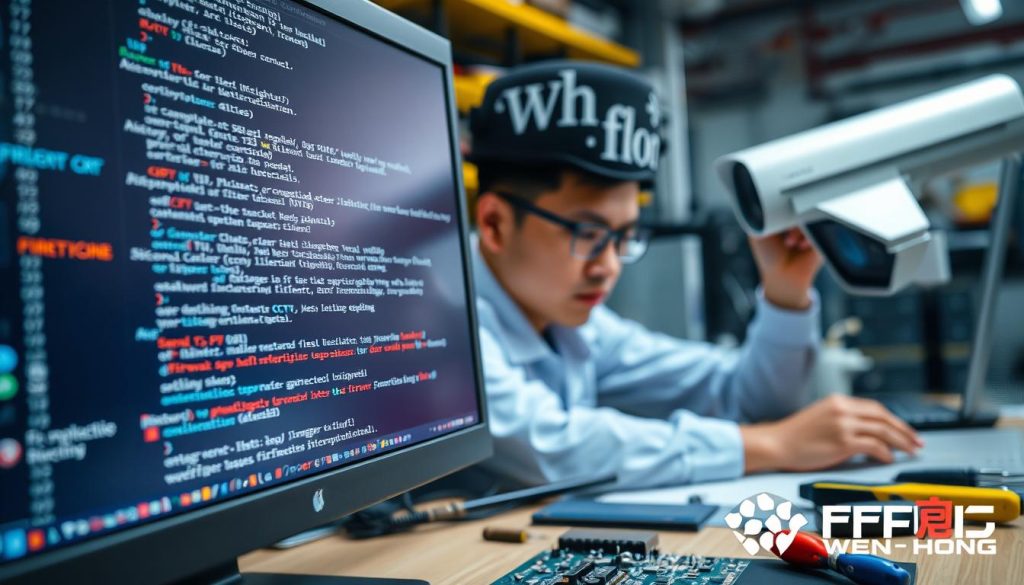
Your CCTV camera’s performance depends a lot on its firmware and software. Problems with outdated firmware can cause many issues, like your camera not recording. It’s very important to keep the software current to ensure your security system works well and safely.
Importance of Regular Updates
Regular updates fix firmware problems that can harm your CCTV system’s performance. Manufacturers release updates to fix bugs, improve features, and secure your system. If you don’t update, you might face big problems like connection issues and not being able to record.
To keep your surveillance system working right, follow these steps:
- Regularly check the manufacturer’s website for updates.
- Go to the camera’s settings and find the firmware section.
- If there’s an update, download and install it as the manufacturer says.
- Reboot your camera after updating to make sure the changes work.
Keeping your security cameras’ firmware up-to-date helps avoid common problems like not recording. It also makes your system more reliable against many issues. Regular updates are a simple but key step to keep your surveillance gear working well for a long time.
For more help with the latest CCTV solutions and deals, contact Wen Hong today at +65 60135960.
When CCTV Camera Not Recording
When a CCTV camera stops recording, it can leave your security at risk. Knowing why this happens is key to fixing it. Issues range from easy mistakes to serious hardware problems. Understanding these can help keep your security system working well.
Possible Causes of Recording Failures
There are many reasons a CCTV camera might not record. Here are some common ones:
- Power Supply Issues: Not enough power is a big problem. It can cause video loss, mainly at night or when the system is busy.
- Network Connectivity Problems: Weak WiFi or IP address issues can block remote access. This leads to recording problems.
- Firmware Updates: Old firmware can cause big problems. Keeping it updated is important for good performance.
- Loose Connections: Damaged or bent cables can mess up video signals. This can stop recording.
- Night Vision Issues: Problems with infrared can make it hard to record in the dark.
If your CCTV camera isn’t recording, try a factory reset. This simple step can fix many issues that other fixes can’t.
If you need more help, tech support from security camera companies can be very useful. They can help solve complex problems. For more information, contact Wen Hong today at +65 60135960. They can tell you about the latest CCTV solutions and offers.
Exploring CCTV Camera Repair Options
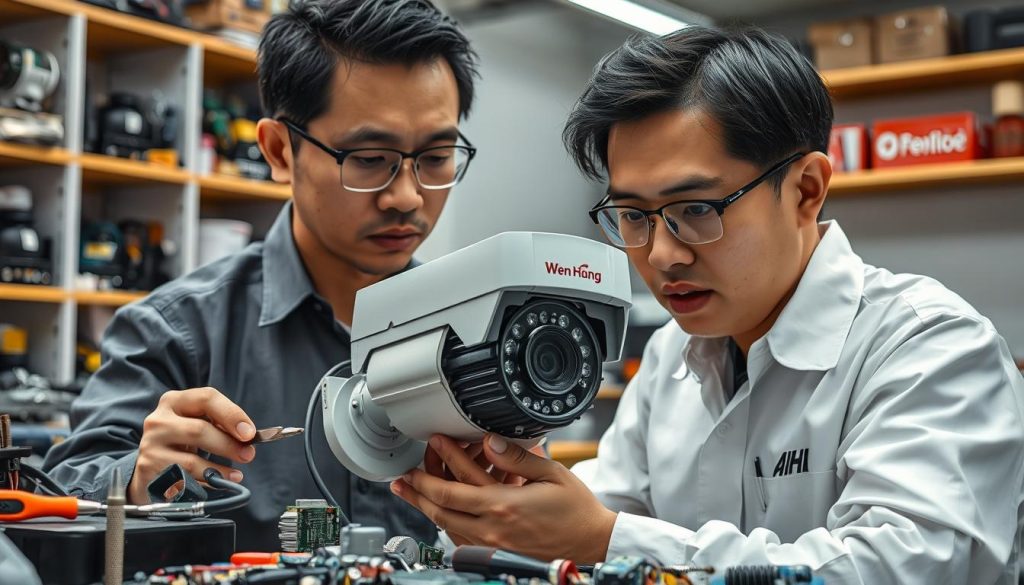
CCTV cameras can face many problems that might need fixing. When a camera stops working, you have two main choices: DIY fixes or getting help from a pro. Each option has its own benefits, based on the problem’s nature. Knowing about warranty and support can also help save time and money when repairs are needed.
DIY Fixes vs. Professional Help
For small issues, DIY fixes are a good way to solve problems without paying for service. Simple steps like checking power, ensuring cables are right, and restarting the camera often fix common problems. Learning basic troubleshooting can help you solve issues faster.
But, if the problem is big or you’re not sure how to fix it, getting a pro is best. Choosing a trusted CCTV camera repair service ensures thorough checks and fixes. They can handle complex issues like power failures, network problems, or when parts need to be replaced.
Understanding Warranty and Support Options
Knowing about warranty and support options is key when thinking about repairs. Brands like Reolink and Swann often have warranties that cover repairs or replacements for a certain time. Always read the warranty terms, as it can save you money on repairs. If your camera breaks within the warranty, you can get help from the manufacturer.
Staying in touch with manufacturers or installers can help solve problems quickly. For any CCTV issues, check the manufacturer’s website or customer service for help.
To find out about the latest CCTV solutions and deals, call Wen Hong today at +65 60135960.
CCTV Camera Troubleshooting Tips
Many users face issues with CCTV cameras. Troubleshooting is key to solving these problems. This guide offers a detailed CCTV camera troubleshooting guide. It covers common issues and provides a step-by-step solution.
Step-by-Step Troubleshooting Guide
Here are steps to help with typical CCTV camera problems:
- Reboot the camera: A simple restart can fix many issues by refreshing the system.
- Check for IP conflicts: Make sure there are no conflicting IP addresses in the network. This often causes connectivity problems.
- Inspect cable connections: Look for loose cables or damaged connectors that might interrupt the signal.
- Verify firmware updates: Ensure the camera’s firmware is up to date. This keeps it running well and securely.
- Factory reset: If problems continue, resetting the camera to factory settings can often solve them.
- Evaluate settings: Check the camera settings to ensure they match what you want, even in low light.
- Utilize FAQs: Manufacturers often have helpful FAQs that can quickly solve common problems.
- Reach out for technical support: If all else fails, contacting the manufacturer’s customer service may help.
- Assess WiFi signal strength: A weak WiFi signal can affect performance. You may need to improve it.
- Check recording settings: Make sure 24/7 recording is on and settings are correct.
For personalized help and the latest CCTV solutions, contact Wen Hong today at +65 60135960.
Best Practices for CCTV Maintenance
Keeping your CCTV system in top shape is key for good surveillance and security. Regular checks ensure it works well, cutting down on failures and boosting reliability. Here are some top tips to keep your CCTV cameras running smoothly.
- Periodic Inspections: Regular checks can spot physical damage, misalignments, or technical problems early. This proactive step helps catch issues before they become big problems.
- Cleaning Camera Lenses: Dust and dirt can ruin image quality. Clean the lenses every three months to keep your views clear.
- Securing Connections: Make sure all connections between cameras, cables, and recorders are tight. This prevents signal loss or distortion.
- Data Management: Manage your storage well and have backup plans for your footage. This keeps your data safe.
- Firmware Updates: Keep your CCTV system secure by updating its firmware and software regularly. This fixes bugs and strengthens security.
- System Testing: Test and calibrate your system often. This ensures high image quality and reduces false alarms.
- Power Supply Stability: A stable power supply is vital. Use backup solutions like UPS devices to keep your system running smoothly.
- User Access Control: Use strict access controls and strong passwords. This stops unauthorized access to your system.
- Tamper Detection Features: Use features that detect tampering or theft. This lets you act fast if someone tries to damage or steal your cameras.
- Proactive Notifications: Set up alerts for when cameras go down. Get instant messages via SMS or email to quickly respond to issues.
Choosing between using your own team or a third-party for CCTV upkeep is important. The right choice affects how well your system works and how users feel. A good maintenance plan, made just for your needs, keeps your system reliable and secure. For custom CCTV solutions and the latest deals, reach out to Wen Hong at +65 60135960.
Conclusion
In this CCTV troubleshooting recap, we’ve looked at common issues with security cameras. These include connectivity problems, recording failures, and poor image quality. We’ve shown how important regular maintenance is.
Regular checks on power supplies and connections are key. Keeping your camera’s firmware updated is also vital. And, make sure your camera is in the right spot. These steps can help fix many problems without needing a pro.
Brands like ZOSI and models like the Reolink RLC-811A can help avoid issues. If problems persist, try rebooting your device or resetting it to factory settings. For more help, contact for CCTV help from experts.
For the latest in CCTV solutions and deals, call Wen Hong at +65 60135960. With the right support and gear, your CCTV system will work well. This gives you peace of mind for your property’s safety.
FAQ
What should I do if my CCTV camera is not working?
First, check if the camera is plugged in and the outlet works. For battery cameras, ensure the batteries are charged. Then, look for any damage or loose connections in the cables.
How can I troubleshoot a CCTV camera that is not recording?
Start by checking the recording settings on your camera or NVR. Make sure everything is set right and there’s enough storage. Also, update the firmware to help with recording.
What are the common issues that lead to CCTV camera malfunctions?
Common problems include power issues, like bad connections or not enough power. Faulty cables and old firmware can also cause problems. Regular checks can spot these issues early.
How do I identify loose connections in my CCTV system?
To find loose connections, check both the camera and network connections. Make sure all wires are tight. For wireless cameras, test the wireless connection, including the router’s performance and signal strength.
Why is updating firmware important for my CCTV camera?
Updating firmware is key because old versions can cause problems, like not recording. Keeping it up to date helps with security and system performance.
When should I consider DIY fixes for CCTV camera problems?
Try DIY fixes for small issues, like fixing cables or adjusting settings. But if the camera won’t work after that, it’s time to get professional help.
What are some best practices for maintaining my CCTV cameras?
For good maintenance, regularly check for damage, update software, and clean the cameras. Also, make sure the whole system works well.
How can I ensure that my CCTV system continues to operate efficiently?
To keep it efficient, have a good maintenance plan. This includes regular checks and updates. Troubleshooting common issues early can prevent system failures.
Source Links
- https://www.hawkeye-communication.com/about-hawkeye/blog/what-do-if-your-security-camera-wont-work-7-easy-troubleshooting-solutions
- https://reolink.com/blog/security-camera-wont-work/?srsltid=AfmBOooygTBxal7dDMbmW-x688GKskEOdGXO4VqP8jsxKo-85g2mJbzT
- https://solink.com/resources/industry-insights/how-to-fix-cctv-camera-video-loss/
- https://www.caughtoncamera.net/news/common-cctv-problems-fix/
- https://network-data-cabling.co.uk/blog/12-cctv-problems-and-fixes/
- https://www.westerndigital.com/en-in/solutions/cctv/blog/3-reasons-your-cctv-camera-is-broken–and-how-to-fix-it
- https://www.firstsolution.com.sg/blog/7-common-cctv-cameras-problems-how-to-troubleshoot-and-fix-them/
- https://web.securitysystem.com.sg/cctv-problems-and-fix/
- https://www.nmcabling.co.uk/2023/02/common-cctv-problems-and-how-to-solve-them/
- https://reolink.com/blog/video-loss-on-security-camera/?srsltid=AfmBOop4vdN-zSXz9jjUylk5vOvxrN2-ViXIe8MZZInyzFCIReTcH5G9
- https://reolink.com/blog/security-camera-wont-work/
- https://cctvcameravision.com/how-to-quickly-fix-cctv-camera-no-video-signal/
- https://allroundsecurity.co.nz/blog/how-to-troubleshoot-common-cctv-issues/
- https://reolink.com/blog/security-camera-wont-work/?srsltid=AfmBOop-TTQ6cKgSwrD4jTdNuEeRY22SiPLk-MXuIKKiVZVSks_GMleo
- https://reolink.com/blog/video-loss-on-security-camera/?srsltid=AfmBOooo2-T6HfmoiSvqwsx58v5xFmyPIHfVLbG3JIvHlr4hSGcwFNx8
- https://reolink.com/blog/security-camera-wont-work/?srsltid=AfmBOop4Dj9ax4xgzQ6Qwz9mJ3jM7Os4-FkO6N8Gga_MY14SOMydAiPS
- https://www.onithome.com/blog/security/video-loss-on-security-camera-troubleshooting-and-solutions/
- https://reolink.com/blog/security-camera-wont-work/?srsltid=AfmBOopm8fqr1NxFLDcjsLs-KGhd_91C3_gZaR1B0IArSJNrZf3lShQd
- https://houseofit.ph/blog/10-foolproof-ways-to-troubleshoot-a-cctv-camera
- https://www.surveillancezone.com.sg/cctv-maintenance-and-best-practices-for-security-systems/?srsltid=AfmBOopnQ7hjOeupDbhnTLKlOGDaoR5Nhx1n8u-mHZVAegvMz5IYEcd_
- https://info.verkada.com/surveillance-features/security-camera-maintenance/
- https://brillianttechnology.com.au/practical-tips-for-maintaining-your-cctv-security-system/?srsltid=AfmBOorWVQabODI_lmlrp4Q76z6MpVEA8xzStrYqFvOAMo7jwn5kVt-j
- https://reolink.com/blog/security-camera-wont-work/?srsltid=AfmBOoodpTp5v6VZ7x1UE4n1gbA-te4SOpbr779AN6ut6MahC_1KFF3t
- https://indicomglobal.com/troubleshooting-basic-problems-with-cctv-cameras/technology/
- https://blog.zositech.com/security-camera-wont-work/


